
Table of Contents
- What “VR Golf Simulator” Actually Means
- What You Need for a VR Golf Simulator Setup
- When VR Makes Sense for Indoor Golf
- When a Traditional Indoor Simulator Is the Better Choice
- What Hardware Matters Most in a VR Golf Build?
- Common Mistakes Buyers Make With VR Golf Setups
- Best Next Step Based on What You Want
- FAQ
- Conclusion
VR Golf Simulator Guide
Indoor Golf Simulators That Work With VR Headsets
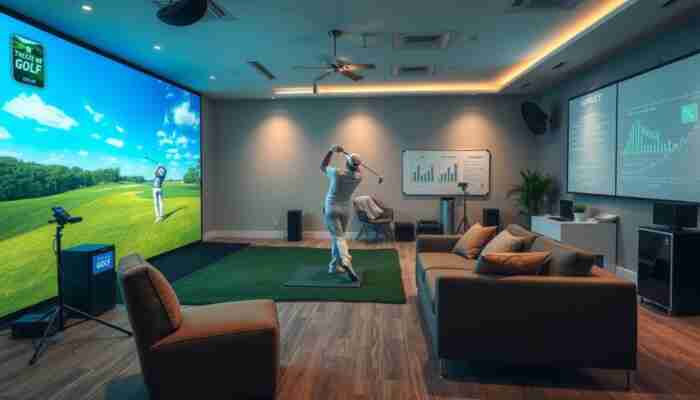
A VR golf simulator is not always the same thing as a traditional indoor golf simulator. In many cases, the real question is whether a headset, software platform, tracking system, and room setup can work together well enough to create a useful golf experience.
That distinction matters because some golfers want a fully immersive virtual reality experience, while others are really looking for a traditional home simulator with strong visuals and realistic ball data. The right setup depends on what kind of golf experience you actually want.
If you are still choosing the core system behind the VR layer, start with
golf simulators,
golf simulator software,
and
golf simulator computers
first.
Quick answer
Some indoor golf setups can work with VR headsets, but the best results usually come from choosing the right software, PC performance, tracking method, and room layout first. In practice, many golfers need to decide whether they want a true VR-first golf experience or a traditional simulator with strong visuals and data.
What “VR Golf Simulator” Actually Means
Search behavior around this topic is centered on VR golf simulator and virtual reality golf simulator, both with clear transactional intent. That means users are not just curious about VR. They want to know what setup actually works and what they would need to buy.
In real buying terms, “VR golf simulator” can mean two different things. The first is a VR-first golf setup where the headset is central to the entire experience. The second is an indoor golf simulator setup where a headset may be part of the software experience, but the system still depends heavily on simulator hardware, tracking, and a room-based golf environment.
VR-first golf setup
- headset experience comes first
- software compatibility is critical
- PC performance matters more
- immersion is the main goal
Traditional simulator with VR interest
- ball data and tracking come first
- room-based simulator still matters most
- screen, projector, and software stay relevant
- VR is an extra layer, not the whole system
What You Need for a VR Golf Simulator Setup
1. Compatible golf software
Software is the real foundation of a VR-capable golf setup. Without the right software layer, the headset is just an accessory with nowhere useful to go. That is why the best starting point is often
golf simulator software,
not the headset itself.
2. A PC strong enough for VR
VR increases performance demands. Even if a simulator runs acceptably on a standard system, a VR layer may require more graphics headroom and better system stability. If the computer is weak, the experience usually breaks down quickly.
That is why serious buyers should review
golf simulator computers
before treating VR as a realistic upgrade.
3. A tracking layer that fits the experience
A VR golf setup still needs some form of tracking logic. Depending on the build, that may mean a simulator-first system with a true launch monitor, or a more VR-native approach where the emphasis is placed more heavily on the headset ecosystem and less on full simulator realism.
If realistic shot data matters, start with
launch monitors
or
portable launch monitors
first.
4. Enough room to swing safely
VR does not remove the need for physical space. In fact, a headset can make room awareness even more important. A safe swing area, ceiling clearance, and a clear hitting zone all matter before the setup is usable.
5. The right visual logic
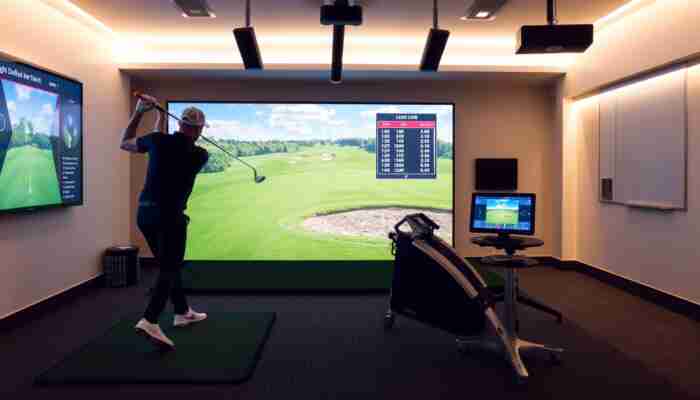
Some buyers assume that a VR headset replaces every other visual part of the simulator. That is not always true. In many indoor golf setups, the projector and screen still matter if the room is meant to support both simulator play and traditional viewing.
| System Layer | Why It Matters | What Goes Wrong Without It |
|---|---|---|
| Software | Controls the actual VR experience | No useful VR workflow |
| PC performance | Supports smooth VR rendering | Weak performance and poor immersion |
| Tracking | Shapes realism and shot feedback | Unclear or weak golf experience |
| Room size | Protects safety and usability | Unsafe or cramped swing space |
| Visual setup | Decides whether the room works only for VR or for broader simulator use | A mismatch between experience and hardware |
When VR Makes Sense for Indoor Golf
When immersion is the top priority
VR makes the most sense when the buyer wants a stronger feeling of presence and does not mind that the setup may lean more heavily toward virtual experience than traditional simulator realism.
When the buyer already has a VR-capable system
VR becomes easier to justify when the headset and the PC ecosystem are already in place. In that situation, the buyer is adding golf capability to a known environment instead of building a whole stack from scratch.
When the goal is not only full commercial-grade simulator realism
Buyers focused entirely on precision simulator data may still prefer a more traditional indoor golf setup. VR becomes more attractive when the experience goal includes immersion, exploration, and virtual environment value, not just shot analysis.
When a Traditional Indoor Simulator Is the Better Choice
When ball data is the main priority
If the buyer’s main goal is shot data, practice analysis, and reliable training feedback, a traditional simulator-first setup often makes more sense.
When multiple users share the room
Headset-based play can be less convenient when the room is shared frequently. A traditional simulator with a screen, projector, and standard viewing flow may be easier for group use.
When the room is already being built as a full simulator bay
In that case, the smarter move is often to optimize the simulator room first and decide later whether a VR layer still adds value.
| Buyer Goal | Best Direction | Why |
|---|---|---|
| Maximum immersion | VR-led setup | Headset experience is central |
| Shot data and training realism | Traditional simulator-first setup | Tracking and simulator logic matter more |
| Mixed household use | Traditional room setup | Easier to share and easier to watch |
| Already owns a VR-ready gaming setup | VR-compatible path | Lower barrier to entry on the VR side |
What Hardware Matters Most in a VR Golf Build?
Computer performance
This is one of the biggest hidden decision points. A weak system can ruin a VR experience even if the headset itself is fine. That is why
simulator computers
deserve far more attention than many buyers expect.
Launch monitor or tracking device
If the buyer wants a golf simulator that still behaves like a real simulator, the tracking layer cannot be an afterthought. That is where
launch monitors
and
portable launch monitors
become the real bridge between golf and VR.
Optional projector and screen layer
Even when the headset is central, some rooms still benefit from a broader simulator visual layer. If that matters, review
projectors,
short throw projectors,
and
simulator screens
before building the final room.
Common Mistakes Buyers Make With VR Golf Setups
Best Next Step Based on What You Want
If software compatibility is your biggest concern
Start with simulator software and make sure the VR path is realistic before buying more hardware.
If performance is your biggest concern
Review simulator computers before assuming your current system can handle VR smoothly.
If realism and shot feedback matter most
Choose the tracking layer first and treat VR as an added experience, not a substitute.
If you are still deciding between VR and a classic simulator
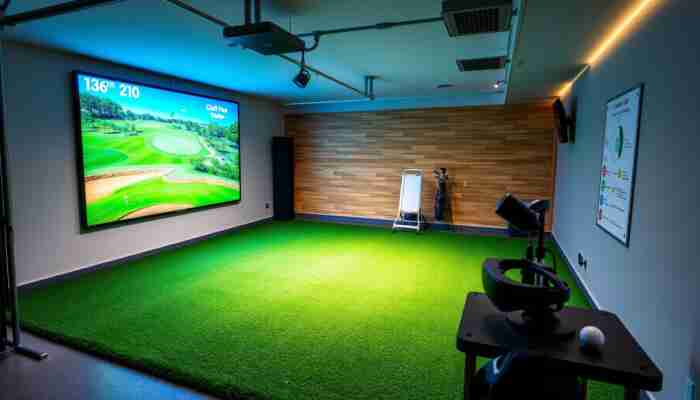
Compare golf simulators first so you know whether the room should be simulator-first or VR-first.
FAQ
Can you use a VR headset with a golf simulator?
In some setups, yes. But the result depends on software compatibility, headset support, PC performance, and whether the tracking layer actually fits a useful golf experience.
Is a VR golf simulator the same as a traditional indoor golf simulator?
Not always. A VR golf simulator is often more headset-driven, while a traditional indoor golf simulator usually depends more heavily on room setup, screen logic, and simulator tracking.
Do you still need a launch monitor for VR golf?
If realistic shot data matters, yes. A launch monitor or another strong tracking layer is usually what turns the setup into a more serious golf simulator instead of just a VR golf experience.
Do you need a projector and screen with a VR golf simulator?
Not always. A headset can be central to the experience, but some indoor rooms still benefit from a projector and screen if the setup is meant to support broader simulator use too.
What matters more: the headset or the PC?
In many real-world setups, the PC and software stack matter more than buyers expect. A good headset cannot compensate for weak system performance or poor compatibility.
What is the biggest mistake when buying a VR golf simulator?
The biggest mistake is assuming that the headset itself solves the whole problem. In reality, software support, room safety, PC power, and tracking quality decide whether the setup actually works.
Conclusion
Some indoor golf simulators can work with VR headsets, but the best results come from treating VR as part of a full system rather than as a standalone answer. Software, PC power, tracking, and room fit matter just as much as the headset itself.
If your goal is maximum immersion, a VR-led path may make sense. If your goal is more serious golf training and shot realism, a traditional simulator-first setup is often the stronger choice. The smart move is to decide which experience you want first, then build the stack around that decision.

Abigail Turner is a passionate writer and golf enthusiast specializing in indoor golf simulators. With a keen eye for detail and a deep understanding of the technology behind these platforms, she provides insightful content that helps players maximize their indoor golfing experience. Abigail’s engaging articles cover everything from equipment reviews to tips for improving one’s game, making her a go-to resource for both beginners and seasoned players alike.
Discussion
17 Responses
Your insights about the distinction between VR golf simulators and traditional setups are spot on. As someone who has tried both, I appreciate how important it is to clarify what kind of experience you’re after. For example, while a fully immersive VR experience can be thrilling, I often find the more traditional simulators provide a balance of realism and utility that aligns better with my practice goals.
I really enjoyed reading your guide on VR golf simulators! The distinction between traditional indoor simulators and those designed for a fully immersive virtual reality experience is crucial, especially considering the diverse preferences among golfers today. I’ve spent some time exploring various setups myself, and I can relate to the challenge of finding the right combination of hardware and software that meets my expectations.
This guide really highlights the key distinctions between VR golf simulators and traditional setups! Personally, I lean towards the immersive experience that VR can offer, especially since it captures elements of the game that don’t always translate well in traditional simulators—like the social interactions and the feeling of being on a real course.
You’ve hit the nail on the head! The immersive experience of VR can really transport you to that sun-drenched course, complete with the smell of grass—minus the pesky bee stings, of course. There’s something magical about getting to high-five your buddy after sinking a long putt without worrying about losing your balance on a real green. It’s like being at the 19th hole without the risk of embarrassing yourself on the actual course.
“I’m glad to hear you appreciate the immersive experience of VR! If you’re interested in exploring some of the top VR golf simulators that enhance those social interactions and real-course vibes, check out this link for more insights!”
https://golfsimplanet.com/SIG12GolfSimulatorEnclosure
This is a super interesting topic! I’ve been chatting with friends about the differences between fully immersive VR setups and the more traditional simulators. For me, the experience of feeling like I’m on the course is a huge part of playing golf, but I also get that some people just want accurate swing data without all the bells and whistles of VR.
You’ve touched on a critical point regarding the distinction between VR golf simulators and traditional setups. As someone who has explored both options, I can attest to the importance of understanding what each system offers—both in terms of technology and experience.
This is an interesting examination of the distinctions between VR and traditional golf simulators. The emphasis on understanding what each setup can realistically provide is crucial for anyone considering investing in one. I find it particularly important to highlight how VR can truly change the way we experience the game, going beyond mere visuals to offer a more engaging practice environment.
You bring up a great point about the engagement factor of VR in golf. It’s interesting how technology has evolved to create not just a visual experience but a fully immersive one. I think the shift toward VR is reflective of broader trends in how we approach training and skill development in sports in general.
I really appreciate the way you’ve laid out the differences between VR golf simulators and traditional setups. This distinction is crucial because, for many of us, the definition of a “great golf experience” can vary quite a bit. Personally, I find that while I love the idea of a fully immersive VR experience, I often lean towards the more traditional simulations when I’m just looking to practice my swing and get accurate feedback on my shots.
You’ve touched on an interesting point about the varying definitions of a “great golf experience.” It’s fascinating how personal preferences play such a big role in how we engage with the sport. I can relate to your leaning towards traditional simulations for swing practice; they often provide that immediate feedback that’s so crucial for improvement. There’s something about hitting a ball on a well-calibrated simulator that just feels right.
This is an intriguing exploration of the nuances between VR golf simulators and traditional setups. As someone who frequently integrates technology into sports training, I find the distinction you make between immersive experiences and realistic data quite significant.
Really interesting take on the distinction between VR golf simulators and traditional setups. I’ve been thinking about this a lot lately as I look to upgrade my own home setup. It’s fascinating how preferences can vary so much—from those who treasure the immersive experience of VR to others who just want reliable visuals and data.
This is such an interesting exploration of VR golf simulators! I love how you highlight the distinction between immersive VR experiences and traditional setups. Personally, I’ve tried a couple of VR simulators, and while the immersion is thrilling, I often find myself missing the precision and feel of a solid home simulator that provides accurate ball data.
Ah, the age-old debate of “immersive VR experience” versus “I just want to hit balls in my living room without hitting the cat.” I mean, if we’re being honest, my last attempt at a golf swing in VR resulted in a smashed lamp and a very unimpressed feline spectator. There’s magic in the immersion of a virtual fairway, but I completely get the allure of a straightforward old-school simulator, especially if it means I get to keep my collectibles intact.
This is a fascinating exploration of the differences between VR golf simulators and traditional setups. I’ve found that the choice really hinges on what you want to get out of the experience. For me, the immersive qualities of VR allow for a level of engagement that’s just hard to beat—especially for practice when the weather doesn’t cooperate.
This distinction between VR golf simulators and traditional setups strikes me as crucial, especially as technology continues to evolve. My own experience was with a typical home simulator where the focus was on stats and ball data. While that was enjoyable, I couldn’t help but wonder how immersive the VR experience could have been.
Your insights into the nuances of VR golf simulators versus traditional indoor setups resonate with many of us who are navigating the evolving landscape of golf technology. It’s fascinating how the distinction you highlight between immersive experiences and visual realism shapes our preferences.