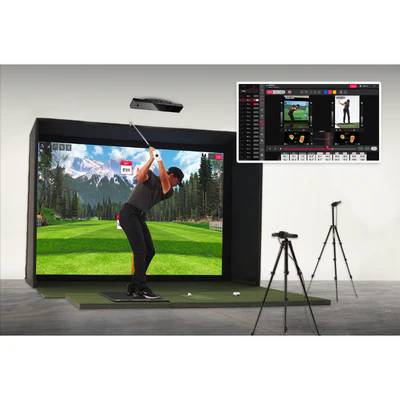
A golf swing camera — also searched as a swing camera for golf simulator, high-speed golf swing camera, or golf swing camera setup — is a video-based analysis tool used to capture your swing in slow motion from key training angles such as face-on and down-the-line. On GolfSimPlanet, this category includes complete camera hardware like the Carl’s Place Golf Swing Camera Set, dedicated Uneekor camera-analysis products like Uneekor Swing Optix Cameras & Software and Uneekor Performance Optix, plus mounting and optics accessories including a camera wall mount, tripod, and zoom lens. Golf swing cameras help you review swing mechanics in slow motion, improve consistency between practice sessions, and build a more complete indoor training setup around your simulator. Whether you need a full camera system, a brand-specific analysis option, or the right mount or lens for a tighter room, the products below cover the main swing-camera solutions used in simulator environments.
Uneekor Performance Optix
Uneekor Swing Optix Cameras & Software
Carl's Place Golf Swing Camera Set
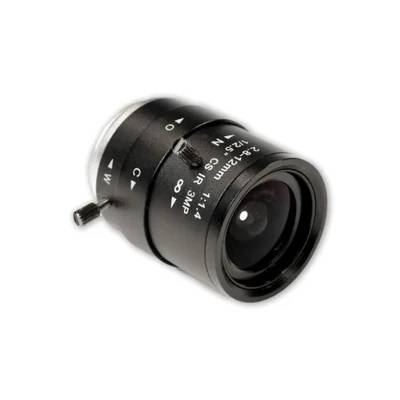
Carl's Place Golf Swing Camera Zoom Lens
Carl's Place Golf Camera Wall Mount
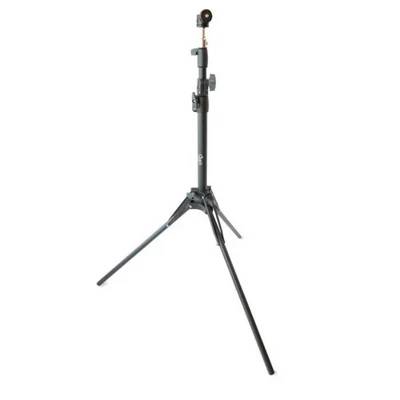
Carl's Place Tripod
Golf Swing Cameras — What They Are and Who They’re For
Golf swing cameras are built for one core job: give you a clearer visual record of your golf swing than a casual phone recording. In a simulator environment, that usually means capturing repeatable slow-motion footage you can review between swings to study setup, takeaway, top position, shaft plane, transition, impact, and follow-through. The reason this matters is simple — launch monitor data tells you what the ball and club did, while a swing camera helps you see why it happened.
This category is especially relevant for golfers who already practice indoors and want better visual feedback, instructors building a teaching bay, and simulator owners who want a more complete training stack around their portable launch monitor or overhead launch monitor. A good golf swing camera system is not only about resolution — it is about frame rate, placement flexibility, compatibility with your software workflow, and whether the camera angle actually shows the movement you need to improve.
✅ Main category intent: compare products and buy the right swing camera setup.
✅ Supporting intents: understand slow-motion video quality, mounting options, simulator compatibility, and accessory needs.
✅ Real buying task: choose whether you need a complete camera system, a dedicated software-led camera solution, or an accessory that fixes your current view angle.
What Products Are in This Golf Swing Camera Category?
GolfSimPlanet’s swing camera page covers three different sub-types of products. That matters because many users search “best golf swing cameras” when they actually need only one piece of the setup.
📷 Complete Camera Systems
These are the right fit when you want a ready-to-use golf swing recording system rather than separate parts. The clearest example in this category is the Carl’s Place Golf Swing Camera Set, which includes two 2-megapixel camera bodies, attached 10-foot USB cables, and two 2.5 mm f/1.2 wide-angle lenses.
🎥 Software-Led Swing Analysis Systems
These are best for golfers already building around a specific simulator ecosystem. On this page, that includes Uneekor Swing Optix Cameras & Software and Uneekor Performance Optix, which function as dedicated camera-analysis options within the Uneekor path.
Carl’s Place Golf Swing Camera Set — Verified Specs You Can Actually Use
The most concrete product data available from the affiliated source in this category is for the Carl’s Place Golf Swing Camera Set. These details are useful because they show what a real entry-to-mid-tier simulator swing camera package includes and what practical performance metrics matter.
Product
Carl’s Place Golf Swing Camera Set
Included cameras
Two 2-megapixel camera bodies
Cable length
Two attached 10-foot USB cables
Included lenses
Two 2.5 mm wide-angle lenses
Lens aperture
f/1.2
Frame rate at 360p
Up to 300 fps
Frame rate at 720p
120 fps
Frame rate at 1080p
60 fps
Software compatibility
Can be used with any software that recognizes a camera connection
Use case
Budget-friendly swing replay and video analysis
In practical terms, that means the Carl’s Place set is built for golfers who want a real high-speed swing camera workflow without jumping straight into a larger teaching-studio build. The included wide-angle lenses help in tighter simulator spaces, while the USB connection makes the system straightforward to integrate into a PC-based practice setup.
How to Choose the Best Golf Swing Camera for Your Simulator Setup
1. Start with the actual job you need the camera to do
If you need a complete swing video solution, start with a full camera package. If your current footage is already usable but the angle is wrong, buy the mounting or lens accessory first. This is the main mistake many buyers make: they search “best golf swing cameras” and purchase a new camera body when the real issue is placement, not capture hardware.
2. Prioritize frame rate before marketing adjectives
For golf swing analysis, the most useful replay moments happen around transition and impact. That is why frame rate matters so much. Verified Carl’s Place data shows up to 300 fps at 360p, 120 fps at 720p, and 60 fps at 1080p. Those are meaningful numbers because they tell you how smooth the slow-motion replay can be at each resolution.
3. Match the camera to the room, not only to the brand
Tight simulator rooms often need wide-angle coverage, higher mounting flexibility, or a wall-mounted camera position that keeps tripods out of the hitting zone. That makes accessories like the Carl’s Place Golf Camera Wall Mount and Carl’s Place Tripod part of the buying decision, not optional afterthoughts.
4. Check the software and computer path before you buy
A swing camera is part of a workflow: capture, review, replay, compare, improve. If your simulator PC is weak or your software setup is fragmented, the camera experience suffers. Before finalizing a purchase, review your golf simulator computer and broader launch monitor accessory stack.
5. Buy inside the right ecosystem when that is already decided
If you are already committed to Uneekor, it is logical to evaluate Uneekor Swing Optix Cameras & Software and Uneekor Performance Optix. If you want a more direct plug-in camera-based setup, the Carl’s Place path is the most concretely specified product route currently available on this category page.
What Makes a Strong Golf Swing Camera Setup?
🎯 Clear face-on and down-the-line angles
The footage must show enough of your body, club, and motion arc to be useful. That is why lens choice and mount position matter just as much as the camera body itself.
⚡ Sufficient slow-motion replay quality
Golf movement happens fast. A setup with weak frame rate leaves too much blur around impact and reduces the value of the video for swing work.
🧩 Compatibility with your simulator workflow
The camera has to fit the rest of your room build: software, computer, launch monitor type, and physical layout. A camera that does not integrate cleanly becomes friction, not value.
🔧 Expandability through accessories
The best category pages do not stop at the camera. They help the buyer understand the full system: camera, lens, wall mount, tripod, and PC.
Golf Swing Cameras FAQ
What is the best way to use golf swing cameras indoors?
The best indoor setup uses repeatable camera placement, a stable mounting method, and a replay workflow that lets you check every swing quickly. In practice, that usually means one camera face-on, one down-the-line, a simulator PC that can handle the feed, and a mount or tripod that keeps the angle consistent.
Are golf swing cameras the same as launch monitors?
No. A launch monitor measures shot or club data, while a swing camera records video for motion review. The two tools solve different parts of the same training problem, which is why they often work best together in a complete simulator environment.
Do I need a tripod or a wall mount for a golf swing camera?
It depends on the room. A tripod is better when you want flexibility and frequent repositioning. A wall mount is better when floor space is limited or when you want a permanent, repeatable camera angle inside the simulator room.
What should I buy with a golf swing camera?
The most common next purchases are a mount, tripod, zoom lens, and a compatible simulator computer. Those add-ons often decide whether the footage is genuinely useful or only technically “working.”
Key Features of Our Swing Cameras Simulator Accessories
Golf Swing Cameras — Key Specs & Buying Criteria
Four factors decide whether a golf swing camera setup is actually useful in a simulator room: frame rate, lens / field of view, mounting flexibility, and workflow compatibility with your software and PC.
🎞️ High Frame Rate for Real Slow-Motion Replay
In golf swing video, the critical moment happens fast. Verified Carl’s Place specs show up to 300 fps at 360p, 120 fps at 720p, and 60 fps at 1080p. Those numbers matter because they directly affect how clearly you can study movement around impact.
🔍 Lens Choice Determines How Much of the Swing You See
The Carl’s Place set includes 2.5 mm wide-angle lenses with f/1.2 aperture, which is a practical fit for simulator rooms where the camera is relatively close to the golfer. If the framing is too wide for your room, a zoom lens becomes the smarter fix than replacing the entire camera system.
🧱 Mounting Flexibility Is a Ranking-Level Buyer Concern
Users searching “golf swing camera setup” are often solving room-layout problems, not only shopping for a camera. A wall mount helps when floor space is limited; a tripod helps when you need mobility and angle testing.
🖥️ Software & PC Compatibility Complete the System
A golf swing camera is only as useful as the review workflow behind it. The Carl’s Place set is described as compatible with software that recognizes a camera connection, while Uneekor products on this page represent a more ecosystem-specific path. Either way, your simulator computer is part of the purchase decision.
📋 Not sure whether you need a complete swing camera set, an Uneekor camera-analysis option, or just the right accessory? Our team can help you match the product to your room layout, recording angle, and simulator PC. Contact us here.
Why Choose Us When You Shop Swing Cameras Simulator Accessories?
Why Buy Golf Swing Cameras from GolfSimPlanet?
GolfSimPlanet is built around complete indoor golf buying paths, not disconnected accessory listings. That matters for swing cameras because the right purchase depends on your room layout, mounting options, simulator computer, and whether you are building around a broader portable or overhead launch monitor environment. We do not treat golf swing cameras as random add-ons — we help you choose whether you need a complete camera set like Carl’s Place Golf Swing Camera Set, a dedicated Uneekor camera-analysis route, or the specific mount, tripod, or lens that solves your current bottleneck without overspending. If your current setup already records swing video but the framing, position, or workflow is wrong, we help you fix the actual problem instead of pushing a bigger purchase than you need.