Bring the Course Indoors with High-Tech Simulators!
FAST & FREE SHIPPING (Exclusions Apply)
Reserve Now & Unlock Special Membership Perks!

Barrier Netting

Carls Place Net Wall Extension

Carl's Place Net Wall Extensions for Golf Simulator Enclosure
SIGPRO Side Barrier Netting
SIGPRO Side Barrier Netting

Spornia Side Net Extensions
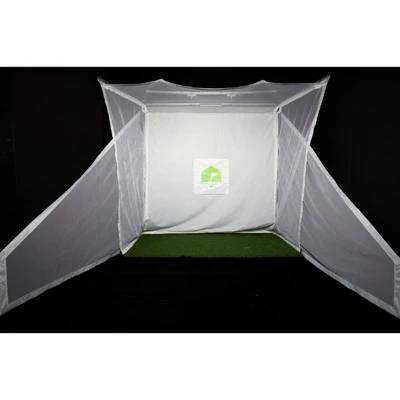
Spornia Side Net Extensions

HomeCourse Side Netting
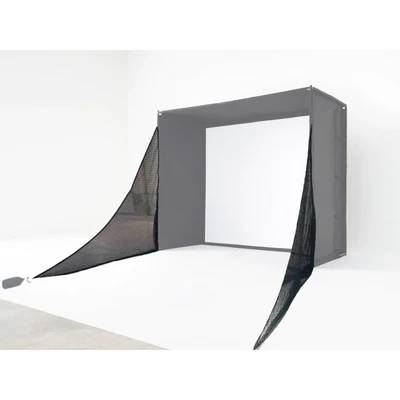
HomeCourse Side Netting

Side Net Pair for Enclosures

SkyTrak Side Net Pair for Enclosures

SkyTrak Golf Return Side Net Pair
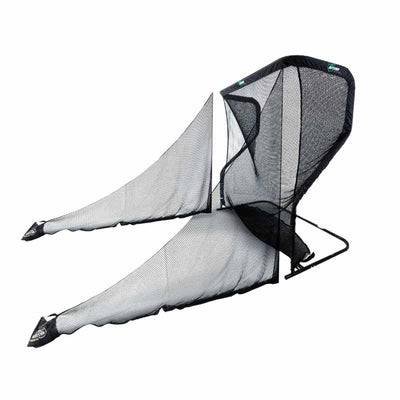
SkyTrak Golf Return Side Net Pair

The Net Return Pro Series V2 Side Barriers

The Net Return Universal Side Barriers

Barrier netting is designed to make a golf simulator room safer, more controlled, and more forgiving when shots miss the center line. A main impact screen or hitting net handles the primary ball flight, but many indoor golf setups still leave vulnerable space along the sides or above the hitting zone. That is where barrier netting becomes essential. It helps keep mishits inside the bay, reduces the risk of damage to walls, ceilings, nearby equipment, and bystanders, and gives the player more confidence to swing freely without worrying about what happens if the shot leaks right, left, or high.

The current live market shows this category very clearly. Barrier netting is not being treated as generic bulk netting. It is being sold as side protection, wall extensions, and safety netting for golf simulator bays. The strongest product paths visible right now include SIGPRO Side Barrier Netting, Carl’s Place Net Wall Extensions, HomeCourse Side Netting, SkyTrak Side Net Pairs, and other safety-focused add-ons built specifically for simulator environments. That tells you exactly what this category is for in real-world use: closing the dangerous gaps around the main enclosure or net, not replacing the main hitting structure itself.

This also means barrier netting is one of the most important room-planning decisions in an indoor golf setup. Some golfers only need lighter side extensions to catch the occasional offline shot. Others need more substantial protection because the bay is in a garage, basement, family room, coaching space, or other area where safety matters more and there is less margin for error. Current product pages reinforce that practical difference. For example, live results for SIGPRO Side Barrier Netting describe a setup built to protect the simulator area and include supporting hardware such as sandbags and carabiner clips, while other systems are positioned more directly as wall extensions or bay-side protection. In other words, this category is about choosing the right level of containment for the room you actually have.

For GolfSimPlanet buyers, the key question is whether you need a brand-specific side barrier, a more universal netting extension, or a broader safety upgrade around an existing enclosure, net, or simulator bay. Some golfers want simple side protection to keep mishits away from the walls. Others want a more enclosed hitting area that feels safer during full-speed swings. Others are matching barrier netting to a specific system such as SIGPRO, SkyTrak, or HomeCourse. Contact our Scottsdale, AZ team if you want help choosing the right barrier netting for your room layout, shot pattern, and simulator setup.

Barrier Netting Options — What Each Type Is Actually Built For

Barrier netting is not one single product type. In real golf simulator rooms, this category is split between lighter side extensions, brand-specific barrier systems, and broader top-and-side safety netting designed to protect the full hitting zone. That means the real buying decision is not simply which net is cheapest. It is whether you need a cleaner add-on for occasional mishits, a side-barrier system for daily use, or wider room protection around a more active simulator bay.

SIGPRO Side Barrier Netting

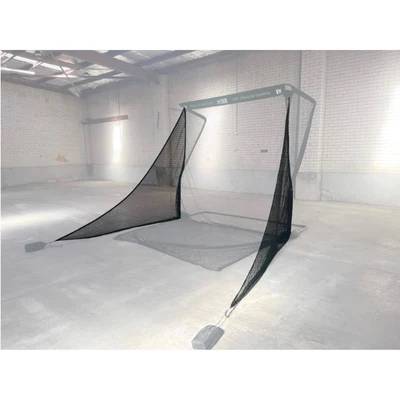
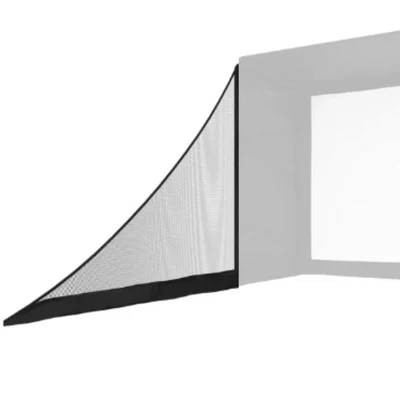
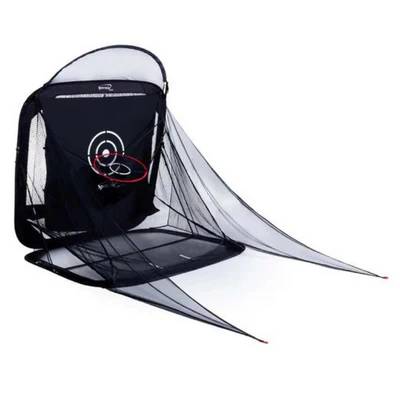
Configuration: brand-specific side barrier system designed to protect the area around a golf simulator enclosure. Use case: buyers who want stronger side protection around a SIGPRO-style bay or a similar dedicated hitting area. Technical direction: live product pages describe it as protecting the simulator area and including 2 nets, 2 sandbags, and 2 carabiner clips for setup. Why choose it: it is a stronger fit when side safety needs to feel like part of the enclosure system rather than an improvised add-on.

Carl’s Place Net Wall Extensions

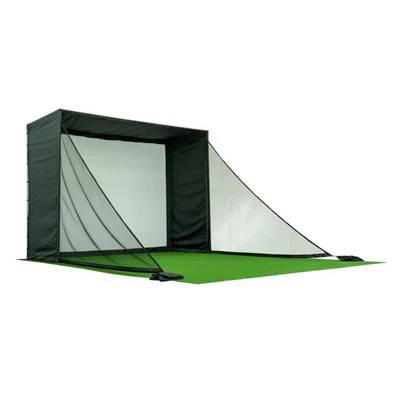
Configuration: wall-extension netting that adds extra side protection around a golf simulator enclosure. Use case: golfers who already have a hitting area but need more help keeping balls inside the zone. Technical direction: current product language positions these extensions as an additional barrier to keep golf balls in the hitting area. Why choose it: it works well when the main enclosure is doing most of the job but the sides still need better coverage.

HomeCourse Side Netting

Configuration: side netting designed to work with the HomeCourse system and improve side containment around that retractable setup. Use case: golfers using a HomeCourse-style room where the main appeal is flexibility, but side protection is still necessary. Technical direction: live shopping results repeatedly show HomeCourse Side Netting as a category-relevant safety add-on. Why choose it: it is a better fit when the room relies on a retractable system and needs compatible side coverage instead of a separate generic net.

SkyTrak Side Net Pairs

Configuration: paired side netting designed to add lateral protection around compatible SkyTrak enclosure setups. Use case: golfers who want cleaner left-and-right containment around a SkyTrak-based simulator area. Technical direction: current market results repeatedly show SkyTrak side-net pairs as a dedicated product path within the category. Why choose it: it makes sense when the goal is a brand-matched side barrier rather than a more generic wall extension.

Top and Side Safety Netting Systems

Configuration: broader safety-netting systems designed to protect not just the sides, but also the upper area around a simulator bay. Use case: rooms where high shots, wedge miss-hits, or more active play make overhead and side safety equally important. Technical direction: live results surface products such as top-and-side safety netting for bays and overhead netting add-ons. Why choose it: this is the better route when side netting alone still leaves too much exposure in the room.

Barrier Netting Buying Context — Side Safety, Overhead Protection & System Compatibility

Core category purpose keeping mishits inside the hitting area and reducing room damage risk
Main category split side barrier netting, wall extensions, and broader top/side safety netting systems
Dominant product entities SIGPRO Side Barrier Netting, Carl’s Place Net Wall Extensions, HomeCourse Side Netting, SkyTrak Side Net Pairs
Main room-planning value closing exposed gaps along the sides or above the bay
Main comparison angle brand-matched side protection versus more universal safety netting extensions
Visible price direction lighter extensions in the low double digits and heavier side barrier systems into the high hundreds
Best-fit buyer golfers who already have the main hitting structure but need better room protection around it
Natural internal pairings enclosures, nets, impact screens, enclosure accessories, and brand-specific simulator systems

How to Choose the Right Barrier Netting

Choose side extensions if the enclosure is mostly working already

Wall extensions and lighter side add-ons are better when you only need to close the last exposed gaps around an otherwise solid setup.

Choose brand-specific barriers if clean fit matters most

A system-matched barrier is usually the better path when you want cleaner compatibility with a SIGPRO, SkyTrak, or HomeCourse setup.

Choose top-and-side safety netting if the room still feels exposed

If high shots, wedges, or more aggressive swings are still a concern, side netting alone may not be enough and broader overhead protection may make more sense.

Choose by room risk, not just by net size

The right barrier netting depends on what needs protection around the bay: walls, ceilings, nearby furniture, equipment, or other people using the space.

Barrier Netting FAQ

What is barrier netting used for in a golf simulator room?

Barrier netting is used to keep mishits inside the hitting area and protect walls, ceilings, equipment, and nearby spaces around the main enclosure or impact screen.

Do I need side barrier netting if I already have an enclosure?

Often yes. Many rooms still have exposed areas along the sides or above the bay, and barrier netting is designed specifically to cover those risk zones.

What is included with SIGPRO Side Barrier Netting?

Current live product pages describe it as including two nets, two sandbags, and two carabiner clips for setup.

Who should buy barrier netting?

It is best for golfers who already have the main hitting structure but want safer side or overhead protection around the room.

Key Features of Our Barrier Netting

The most important feature of barrier netting is simple: it adds protection where the main screen or net does not. In a real simulator room, the biggest risks often come from the shots that miss the center line — the ball that leaks off the toe, the wedge that climbs too high, or the swing that sends the ball toward an exposed side wall instead of the main target area. Barrier netting helps close those exposed zones and makes the hitting area feel much more controlled, especially in rooms where walls, ceilings, equipment, or nearby people are still within range of an errant shot.

The second major advantage is that barrier netting is available in several useful formats rather than one generic solution. Some products are designed as side barrier systems for dedicated bays. Others work as wall extensions for enclosures that already do most of the job but still need better side coverage. Others provide top-and-side safety netting for rooms where wedge shots or higher ball flight make overhead protection just as important as side protection. That means the right feature set depends on the actual room and the actual risk points, not just on net size alone.

Core category feature extra protection around the hitting area where the main screen or net stops short
Most repeated use feature helps keep mishits inside the bay and away from walls, ceilings, and nearby objects
Main format split side barriers, wall extensions, and broader top-and-side safety netting systems
Main compatibility feature available in brand-specific options for systems like SIGPRO, SkyTrak, HomeCourse, and Carl’s Place
Main room-planning feature lets buyers protect exposed side and overhead zones without replacing the whole enclosure
Main hardware/support feature some systems include setup accessories such as sandbags and clips for cleaner installation
Main buyer value safer full-speed swings and better confidence in tighter or more exposed rooms
Best-fit use case simulator rooms and practice bays that already have the main hitting structure but need better surrounding protection

Side-shot protection

One of the most important features is catching the ball when it misses the center hitting line. Side barrier netting helps contain the shots that would otherwise reach the wall, the edge of the room, or other exposed parts of the setup.

Better room safety without rebuilding the bay

Barrier netting is valuable because it improves safety without forcing you to replace the whole enclosure or screen setup. It is often the most practical way to fix exposed gaps in a room that is otherwise working well.

Brand-specific compatibility

A strong feature of this category is that many products are designed around specific simulator ecosystems, which helps buyers get cleaner fit and more predictable use than a generic netting solution.

Wall-extension flexibility

Some barrier-netting solutions work best as wall extensions, which is useful when the room only needs extra lateral coverage rather than a full separate barrier structure.

Overhead protection options

A major feature for some rooms is the ability to add top protection, not just side coverage. That matters in setups where high lofted shots or wedge play create risk above the main bay opening.

Cleaner, more confident practice

The practical result of good barrier netting is confidence. When the room feels protected, golfers can swing more freely and use the simulator space with fewer worries about the occasional miss-hit.

Which barrier-netting feature matters most for your room?

  • Prioritize side coverage if the biggest problem is offline shots reaching exposed walls or edges of the room.
  • Prioritize brand compatibility if you want cleaner fit with a specific enclosure or simulator system.
  • Prioritize overhead protection if wedges or higher shots still create risk above the bay.
  • Prioritize installation simplicity if you want a safer room without rebuilding the entire hitting structure.

If you are still comparing barrier netting against other room-protection options, review our Enclosures, Enclosure Accessories, Nets, and Impact Screens categories before finalizing the room.

📋 Quick summary: the key features of our barrier netting are better side-shot protection, cleaner room safety, compatibility with major simulator systems, optional wall-extension and overhead coverage, and a more confident hitting environment without rebuilding the entire setup. Contact GolfSimPlanet here if you want help choosing the right barrier netting for your room.

Why Choose Us When You Shop Barrier Netting?


Shopping for barrier netting is different from shopping for a main enclosure or hitting net. The main decision is not simply about size or price. The real question is how much protection your room actually needs around the hitting area. Some golfers only need to close a narrow gap along one side. Others need stronger side coverage because the bay is close to walls, furniture, doors, or storage. Others need broader protection because high shots or more active play make overhead and side safety equally important. That is where GolfSimPlanet adds value. We help buyers match the right type of barrier netting to the way the room is used instead of treating every netting add-on as if it solves the same problem.

That matters because this category is built around several different protection paths. Some products work as wall extensions. Others are more structured side barrier systems. Others are better for buyers who need top-and-side safety netting around a more exposed simulator bay. There are also brand-specific options designed to fit systems like SIGPRO, SkyTrak, HomeCourse, and Carl’s Place more cleanly. In other words, the smartest choice is usually not “buy any netting.” It is choosing the right protection style for the room layout, shot pattern, and enclosure system you already have.

Protection-first guidance

We help buyers think about what actually needs protection in the room — side walls, ceilings, nearby equipment, walkways, or family spaces — before choosing the netting.

Brand-fit clarity

Some setups work best with system-matched barrier netting instead of generic add-ons. We help buyers choose cleaner-fitting options for specific enclosure and simulator systems.

Whole-room safety thinking

Barrier netting only works well when it fits the room properly. We help buyers think through side coverage, overhead risk, enclosure edges, and the way the full hitting zone behaves during real use.

Honest fit over unnecessary extras

Not every room needs the biggest or most complex safety-netting system. Sometimes a simple side extension is enough. We focus on the right level of protection for the actual risk in the room.

This is especially important with barrier netting because the smartest purchase is not always the heaviest-duty one. A smaller side extension can be the best answer when the enclosure already does most of the work. A fuller barrier or top-and-side safety setup can make more sense when the room still feels exposed during full swings. GolfSimPlanet helps buyers make that distinction clearly so the final setup feels safer, cleaner, and better matched to the room instead of overbuilt or underprotected.

📍 GolfSimPlanet helps with the full barrier-netting decision path: deciding between wall extensions, side barriers, and broader safety netting; matching the right protection to your enclosure or simulator system; and comparing barrier netting against related room-safety options like Enclosures, Enclosure Accessories, Nets, and Impact Screens.

Need help choosing the right barrier netting for your room? Contact GolfSimPlanet here and we’ll help you match the right protection level to your room layout, enclosure type, and practice needs.