
Table of Contents
- What a Beginner Actually Needs From a Golf Simulator
- The 5 Things Beginners Should Prioritize First
- What Type of Setup Is Best for a Beginner?
- Which Components Matter Most for Beginners?
- Mistakes Beginners Make When Choosing a Simulator
- How a Beginner Should Choose What to Buy First
- Best Next Step Based on Your Situation
- FAQ
- Conclusion
Beginner Golf Simulator Guide
Golf Simulator for Beginners: How to Choose the Right Setup
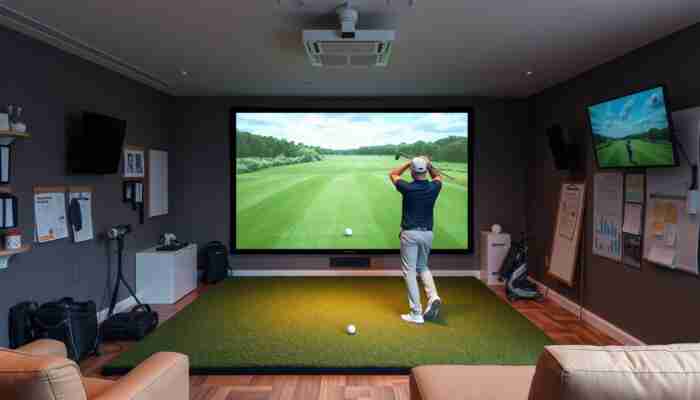
The best golf simulator for a beginner is not the most advanced or the most expensive setup. It is the one that fits the room, stays easy to use, and gives enough feedback to help a new player improve without adding unnecessary complexity.
For most new golfers, the smartest starting point is a setup that balances room fit, launch monitor quality, ease of practice, and a clear upgrade path. The wrong simulator can feel overwhelming. The right one makes it easier to practice often and build confidence faster.
If you are still deciding where to start, compare
golf simulators,
portable launch monitors,
and
golf simulator enclosures
first.
Quick answer
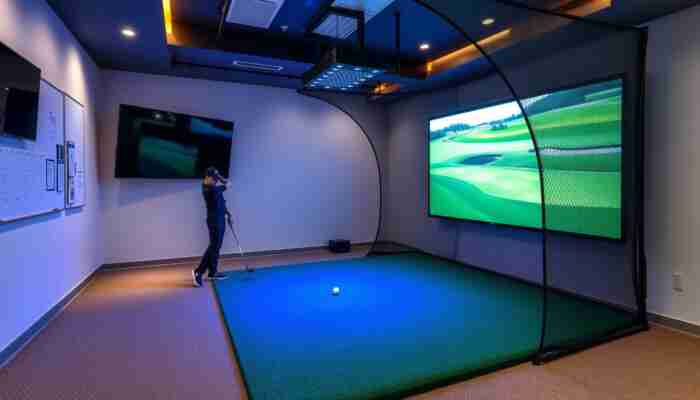
For most beginners, the right golf simulator is a simple or balanced home setup built around an easy-to-use launch monitor, enough room to swing comfortably, and a screen or visual setup that matches the space. New players usually benefit more from practical systems than from premium room builds right away.
What a Beginner Actually Needs From a Golf Simulator
A beginner does not need every advanced feature from day one. What matters most is being able to practice regularly, understand the feedback, and enjoy using the setup enough to keep coming back.
That means the best beginner simulator is usually one that feels practical before it feels premium. If the system is too technical, too cramped for the room, or too expensive for the stage of play, it often becomes harder to use consistently.
A good beginner setup usually feels…
- easy to understand
- easy to use often
- comfortable in the room
- clear in the feedback it gives
- upgradeable over time
A poor beginner setup often feels…
- too technical
- too expensive for the value
- too large for the room
- too hard to use consistently
- too focused on specs instead of learning
The 5 Things Beginners Should Prioritize First
1. Ease of use
A simulator only helps if it gets used. For beginners, low setup friction matters more than advanced complexity. A system that is easy to turn on, easy to align, and easy to practice with usually creates better long-term results.
2. The right launch monitor direction
The launch monitor shapes the whole beginner experience. It affects the feedback quality, the simulator software path, and the overall cost of the build. For many new players, the cleanest place to start is with
portable launch monitors
because they often keep the entry path simpler and more flexible.
A more advanced room may eventually point toward
overhead launch monitors,
but that is not always the best first move for a beginner.
3. Room fit
Ceiling height, room depth, and hitting comfort matter more than trying to force the biggest possible setup into the space. Beginners should choose the room first, then the simulator direction, not the other way around.
4. Clear visual feedback
Some beginners are happy with a simpler practice-first setup. Others stay more engaged when the simulator includes a screen and projected ball flight. The right answer depends on the player’s learning style, budget, and room.
5. Upgrade path
Most beginners should not buy for every future scenario on day one. A better strategy is to choose a setup that works now and leaves room to improve later.
| Priority | Why It Matters | Common Beginner Mistake |
|---|---|---|
| Ease of use | Creates consistent practice | Buying a setup that feels like work every time |
| Launch monitor choice | Shapes feedback, budget, and simulator path | Choosing hype instead of practicality |
| Room fit | Protects safety and comfort | Ignoring room depth or ceiling height |
| Visual setup | Improves immersion and feedback clarity | Mismatching the screen or projector to the room |
| Upgrade path | Protects long-term value | Overbuying too early |

What Type of Setup Is Best for a Beginner?
Practice-first setup
This is often the best direction for a beginner who wants to build consistency, improve contact, and get comfortable with simulator feedback without committing to a full room right away.
Balanced home simulator setup
This is usually the sweet spot for beginners who know they want a more complete home simulator. It balances ease of use, realism, and future flexibility without forcing a premium build too early.
Dedicated sim-room direction
This can work for a beginner, but only when the room, budget, and long-term commitment are already clear. It is usually better for players who know they want a permanent indoor golf space.
| Beginner Situation | Best Direction | Why |
|---|---|---|
| Limited budget or limited room | Practice-first setup | Keeps the learning path simple and practical |
| Garage or spare-room build | Balanced home simulator setup | Gives better realism without overcomplicating the build |
| Wants more immersive simulator play | Balanced or room-ready setup | Makes practice more engaging and visual |
| Long-term home golf room plan | Dedicated sim-room direction | Best for cleaner integration and future upgrades |
Which Components Matter Most for Beginners?
Launch monitor
This is usually the most important starting point. For beginners, the right launch monitor should feel clear, practical, and reliable enough to build trust in the feedback.
Screen and enclosure
A screen and enclosure change how immersive and safe the setup feels. If the beginner wants a fuller simulator experience, compare
simulator screens
and
enclosures
early in the process.
Projector
Not every beginner needs a projector right away, but it becomes much more important when the goal is true simulator play instead of simple data practice. For smaller rooms, compare
short throw projectors
before deciding on the visual side of the build.
Software and computer
Beginners usually benefit from software that feels straightforward. If the setup requires more visual performance or more advanced simulator play, review
golf simulator software
and
golf simulator computers
before buying the final system.
Mistakes Beginners Make When Choosing a Simulator

How a Beginner Should Choose What to Buy First
A simple beginner buying order
- Measure the room first
- Choose the launch monitor direction
- Decide whether you want practice-first or full simulator play
- Match the screen and projector to the room
- Leave room to upgrade as skill and confidence grow
Best Next Step Based on Your Situation
If you want to compare the main beginner-friendly simulator directions
Start with golf simulators to see what type of setup fits your goals.
If you want the easiest path into simulator practice
Compare portable launch monitors first.
If you want a more immersive room-ready setup
Look at enclosure options before you build the visual side of the room.
If room fit is your biggest concern
Compare short throw projectors before choosing the final screen setup.
FAQ
Is a golf simulator worth it for a beginner?
Yes, if the setup is practical enough to use often. A beginner usually gets the most value from a system that makes practice easier and feedback clearer without becoming overly complicated.
Should a beginner start with a full simulator package or a simpler setup?
Many beginners do better with a simpler or balanced setup first. A full package can be the right choice when the room and budget are already clear, but it is not always necessary on day one.
Is a portable launch monitor enough for a beginner?
In many cases, yes. A portable launch monitor is often the easiest and most flexible entry point for a new player who wants indoor practice without immediately committing to a full permanent room.
Do beginners need a projector and screen right away?
Not always. A projector and screen become more important when the goal is a fuller simulator experience. For basic indoor practice, a simpler setup can still be the smarter starting point.
What matters more for a beginner: realism or simplicity?
Simplicity usually comes first. A realistic setup helps, but a beginner benefits more from a system that gets used consistently than from a premium room that feels too hard to manage.
What is the biggest beginner mistake when buying a simulator?
The biggest mistake is overbuying before understanding what kind of practice experience is actually needed. Beginners usually do better when they build for consistency first and upgrades later.
Conclusion
The right golf simulator for a beginner is the one that makes practice easier, fits the room properly, and gives enough useful feedback to support real improvement. That usually means starting practical, not maximal.
For most new players, the smartest path is to choose the launch monitor direction first, match the room to the setup, and only then decide how immersive the simulator needs to be. That creates a better beginner experience now and a better upgrade path later.

Lila Chambers is an avid golf enthusiast and author who specializes in writing about indoor golf simulators. With a passion for blending technology and sport, she explores how these innovative systems enhance the golfing experience, making the sport accessible year-round. Lila’s insightful articles provide valuable information for both casual players and dedicated golfers, helping them navigate the world of indoor golf with ease.


Discussion
33 Responses
It’s fascinating to see how indoor golf simulators have evolved over the years, providing such an accessible way for golfers to hone their skills year-round. Your checklist approach for selecting the right simulator really resonates with me; having a structured decision-making process can alleviate a lot of the stress that comes with making a significant purchase.
You’re spot on about the evolution of indoor golf simulators. It’s pretty wild to think just a couple of decades ago, most people were still trying to find their swing on the course, rain or shine. Now, technology has made it a breeze for golfers to practice in their living rooms, without having to battle the elements.
I really resonate with your approach to selecting the right indoor golf simulator, especially the emphasis on confirming requirements and getting everything in writing. I’ve dabbled in indoor golfing for a few seasons now, and I’ve seen firsthand how overwhelming the options can be.
I couldn’t agree more with the need for a checklist when navigating the jungle of indoor golf simulators! It’s like assembling IKEA furniture; without a plan, you might end up with a beautiful golf simulator that doubles as a modern art installation. Just think of the rework—abandoning that sleek, expensive contraption in favor of using a good old iron and a wet sock for practice!
You really hit the nail on the head with that comparison to assembling IKEA furniture. There’s a certain art to putting together a golf simulator, and without a clear plan, it can quickly turn into a complex puzzle that’s missing a piece. It’s almost like you have to navigate a minefield of options and specs just to end up with something that works for you.
Ah, the quest for the perfect indoor golf simulator! If only picking the right one came with the same ease as selecting what flavor of ice cream to have on a Friday night. I mean, let’s be honest—who hasn’t spent way too long weighing the choices between classic vanilla and the intriguing honey lavender? Both have their merits, but I digress.
It’s interesting to see how indoor golf simulators bridge not just the gap between practice and environment but also the gap in accessibility for players at all levels. For beginners, having the right setup can be both daunting and exciting; it’s encouraging that you emphasize a checklist approach. This makes the decision process more manageable and less overwhelming.
This is such a timely discussion! As someone who recently ventured into the world of indoor golf simulators, I can really appreciate the emphasis on narrowing down options and confirming requirements before making a commitment. It’s easy to get overwhelmed by all the choices out there, especially when trying to find the right balance between features and budget.
It’s fascinating to see the growing trend of indoor golf simulators, especially as they provide an opportunity for golf enthusiasts to practice their swing without being hampered by unpredictable weather. The reliance on technology to enhance our experiences is something that has been transforming many sports, and golf is no exception. As someone who has spent countless hours on the course, I can appreciate the value of being able to refine my skills in a controlled environment—especially during long winters or rainy seasons.
The rise of indoor golf simulators is an interesting shift for the sport, especially as they bridge the gap between traditional play and modern technology. It’s great to hear you appreciate the controlled environment they offer. You might find it intriguing that many simulators now also include advanced analytics, which can help pinpoint areas needing improvement in your swing, grip, or stance.
“I completely agree! If you’re looking to elevate your indoor practice experience, check out this innovative simulator that could take your game to the next level.”
https://golfsimplanet.com/SkyTrakLaunchMonitor
You’ve really hit on an important point about indoor golf simulators! They are truly changing the game for enthusiasts who want to keep their skills sharp regardless of what Mother Nature throws our way. I find it impressive how these simulators can mimic the experience of being out on the course, right down to the nuances of each swing and the feel of various terrains.
I appreciate the nuanced approach you’ve taken in your Beginner Golf Simulator Guide. It’s refreshing to see a focus on finding the right balance for beginners, especially in a landscape where many brands push high-end gadgets that can easily intimidate new golfers. Your insight about how the right simulator can create an encouraging practice environment resonates with me.
What a thoughtful exploration of the beginner golfing experience! Your insights into the relationship between a beginner’s choice of golf simulator and their journey in the sport resonate with me deeply. It’s fascinating how technology has transformed the way we approach traditional games, and golf is no exception.
Your insights on choosing the right golf simulator for beginners really resonate with me. As someone who recently started exploring the world of golf, I experienced firsthand how overwhelming the options can be, from the variety of simulators available to the often technical specifications that seem designed for seasoned pros rather than novices.
It’s interesting to see the emphasis on finding a golf simulator that balances ease of use with room fit and feedback, especially for beginners. When I first started playing, I remember getting overwhelmed by all the high-tech options out there. There were simulators with so many features that I found myself questioning whether I was ready for them or if I just wanted to play casually.
This guide hits the nail on the head! When I first considered getting a golf simulator, I thought I needed a futuristic setup that looked like it belonged on a spaceship—complete with buttons that I didn’t know how to press. Spoiler alert: I’m still traumatized by the time I accidentally switched my TV to “golf mode” instead of playing a single round.
I can definitely relate to that experience with a golf simulator. The tech involved can be pretty intimidating, especially when you’re just looking to enjoy a round without needing a degree in engineering. Switching my setup accidentally is something that I’m all too familiar with—sometimes it feels like devices are designed with surprises that just throw a wrench into your plans.
The emphasis on finding a golf simulator that caters to beginners rather than just focusing on advanced capabilities is a critical point you raise. It reminds me of how often new players can be overwhelmed by the array of technology available, which can cloud the fundamental purpose: improving one’s game and enjoying the process. In my experience, simplicity in setup and usability tends to yield the most consistent practice sessions.
You’ve hit the nail on the head with the idea that the right simulator for beginners is all about balance. I once tried out a super high-tech simulator that felt more like a NASA launch pad than a golf setup; I ended up feeling like I was training for a space mission rather than just trying to hit a small ball into a hole! I think it’s crucial to have that feedback without the added pressure of tech that outsmarts the player.
It’s interesting to hear about your experience with high-tech simulators. The gap between advanced technology and accessibility for beginners can really set the tone for the learning experience. Many newcomers to golf are often seeking straightforward feedback, not an entire flight simulation experience. The pressure of complex technology can easily overshadow the simple joy of learning the basics of the game.
“That’s a great point! If you’re looking for a simulator that strikes that perfect balance between fun and feedback, check out this option that keeps things simple yet effective!”
https://golfsimplanet.com/SIG10GolfSimulatorStudioCompletePackage
You’ve shared a really relatable experience, and it’s great to hear your perspective on the balance between technology and the learning process. I think many of us have been there—stepping up to a simulator that’s so sophisticated it leaves us wondering if we’re in the right sport at all. It’s easy to get lost in all those bells and whistles. When a simulator resembles a NASA control room, it tends to shift the focus away from what really matters: figuring out how to connect with the golf ball.
Your insights on choosing the right golf simulator for beginners really struck a chord with me. As a novice golfer myself, I’ve experienced the confusion that can come with choosing the perfect equipment—there is so much information out there, it’s easy to feel overwhelmed. Your emphasis on finding something that fits the room and meets the user’s needs resonates deeply. It’s not just about having the fanciest models; it’s about creating an environment that encourages growth and enjoyment.
This guide provides valuable insights that resonate strongly with my own experiences as a beginner golfer. In navigating the world of golf simulators, I quickly realized that the overwhelming array of options can often obscure the path to improvement. The emphasis on a setup that balances room fit, monitor quality, and ease of use is particularly relevant, as I found that the right equipment not only influenced my practice but also my enjoyment of the game.
It’s great to hear how closely the guide mirrored your own experiences as a beginner golfer. The world of golf simulators can really feel like a maze at first. It’s easy to get lost in all the different features, specs, and price points. You’re right; finding the right balance between room fit, monitor quality, and ease of use can make a huge difference—not just for practice but for how much fun you have on the course, or even in your living room.
“I’m glad to hear that you found the guide helpful! If you’re looking to explore some top-rated golf simulators that align with your experiences, check out our curated selections here.”
https://golfsimplanet.com/Carl'sPlaceReleasableZipTies(Qty 100)
This guide is a practical starting point for those venturing into the world of golf simulators. Your emphasis on the balance between room fit and user-friendly features is spot on. I remember when I first considered getting a simulator; I was initially drawn to the high-tech setups that promised remarkable accuracy and a slew of features. However, I quickly realized that, as a beginner, I would benefit more from a setup that didn’t overwhelm me.
Your insights into choosing the right golf simulator hit home for me, especially as someone who is just embarking on this journey. It’s fascinating how technology has transformed our ability to play and practice golf, making it accessible even from home. I remember the days of limited indoor options and the overwhelming complexity of the gear; it’s refreshing to see a focus on simplicity and usability for beginners.
I appreciate how you emphasize the importance of finding a golf simulator that suits a beginner’s needs without overwhelming them. I remember my first experience with a golf simulator; I was excited yet intimidated by the complexity of features. It wasn’t until I discovered a more user-friendly setup that I began to enjoy the game and actually improve my swing.
It’s great to hear about your experience with golf simulators! I totally get how a beginner can feel caught between excitement and intimidation—those features can seem like a whole other language at first. Simplicity really does go a long way in keeping the fun alive while also allowing you to focus on what matters most: improving your swing.
“I’m glad to hear you found a setup that worked for you! If you’re looking for a user-friendly option to enhance your practice, check out this great resource.”
https://golfsimplanet.com/6-InchBallBungees:50Count
It’s interesting how a shared experience like yours can highlight the journey many beginners face when stepping into the world of golf simulators. I can relate to that initial mixture of excitement and anxiety. The variety of features out there can sometimes feel intimidating, especially when all you want to do is enjoy the game and see some improvement.
I’m glad to hear that you found a user-friendly setup that helped you enjoy and improve your game! If you’re looking for some great options tailored for beginners, check out this selection of golf simulators that prioritize ease of use while still offering valuable features.
https://golfsimplanet.com/Carl's PlacePipeFramingKitforDIYGolfSimulatorEnclosure
I really appreciated the way you broke down the essentials for beginners looking to dive into the world of golf simulators. Choosing the right setup can definitely feel overwhelming, especially with the multitude of options out there. It’s easy to get sidetracked by all the shiny features of the more advanced models, but as you pointed out, simplicity is often the key to building confidence and improving.
This is a solid breakdown for anyone just getting into golfing simulators. I remember when I was starting out—my biggest struggle was figuring out how much tech I really needed to make improvement without feeling overwhelmed. I ended up going for a basic setup that had room to grow, and honestly, that kept me motivated instead of frustrated.
I really appreciate how you emphasized the importance of finding a simulator that matches the needs of beginners. It’s so easy to get caught up in the allure of high-tech features that might end up being more confusing than helpful. When I first started, I found that a simpler setup allowed me to focus on my swing mechanics without getting overwhelmed by data I didn’t quite understand yet.
Your insights on selecting the right golf simulator for beginners truly resonate with me. I remember when I first considered getting one—I was overwhelmed by all the options. The emphasis on balance and simplicity you mentioned is crucial; I found that starting with a user-friendly setup allowed me to focus on improving my swing rather than getting lost in complicated features.