

Table of Contents
- How Golf Simulator Software Actually Works
- Launch Monitor Compatibility Comes First
- Golf Simulator Software Comparison for 2026
- GSPro: Strong for PC Simulation and Community Courses
- Awesome Golf: Strong for Practice, Games and Platform Flexibility
- E6 CONNECT: Broad Virtual Golf and League Ecosystem
- SKYTRAK Software: Best Evaluated as Part of the SKYTRAK Ecosystem
- Foresight Premier and Foresight+: A New Software Model in 2026
- First-Party Software vs Third-Party Simulator Platforms
- What Features Actually Matter?
- Practice Software Can Provide Feedback — It Cannot Guarantee Improvement
- How Much Does Golf Simulator Software Really Cost?
- Do You Need a Gaming PC?
- Course Realism Is a Separate Decision
- Multiplayer Is Also More Complicated Than “Yes or No”
- Using Golf Simulator Software at Home
- Golf Simulator Software Buying Checklist
- Which Golf Simulator Software Should You Choose?
- Frequently Asked Questions
- Bottom Line
Golf Simulator Software Guide
Golf Simulator Software in 2026: Compatibility, Costs & Best Options
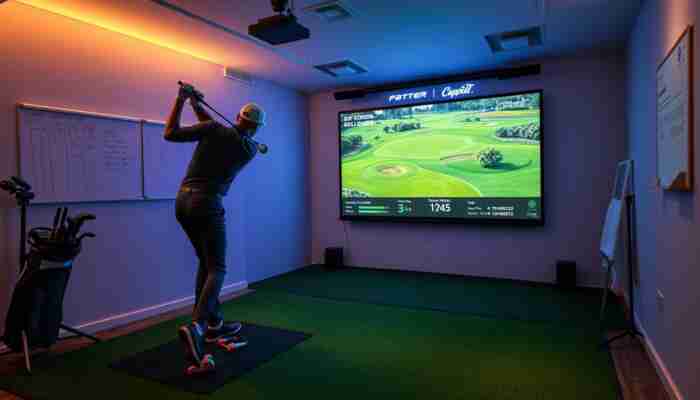
Golf simulator software takes shot information from a compatible launch monitor or tracking system and turns it into practice data, virtual ball flight, games or simulated rounds. The software does not replace the launch monitor: the tracking hardware observes the shot, while the software interprets the available inputs and presents the result.
The most important question is therefore not simply which program has the best graphics or the most courses. You first need to know which software works with your exact launch monitor, operating system and computer or mobile device, then compare practice features, course play, multiplayer and the complete licensing cost.
This guide compares the main software paths available in 2026 and shows how to choose without paying for a platform your hardware cannot fully use.
Last verified: November 10, 2026 · US market. Software compatibility, pricing, subscriptions, supported launch monitors and course libraries can change. Confirm the current requirements for your exact hardware before purchasing.
Quick answer
For most buyers, compatibility should eliminate unsuitable software before features or price are compared. GSPro is a strong Windows-based option for golfers who value a large community course library and online play. Awesome Golf is attractive for practice, games and broader device-platform flexibility. E6 CONNECT combines practice, virtual courses and multiplayer across an established simulator ecosystem. SKYTRAK and Foresight owners should also compare their manufacturers’ first-party software because hardware integration and subscription requirements can make those ecosystems the simpler choice.
How Golf Simulator Software Actually Works
Golf simulator software normally receives shot information from the launch monitor rather than measuring the golf shot itself.
The basic data path is:
→
Launch monitor / tracking system
→
Measured or calculated data
→
Simulator software
→
Practice feedback or virtual shot
Depending on the hardware, the software may receive ball speed, launch direction, launch angle, spin, carry data, club speed, club path, face information or other parameters.
The software then uses the available inputs for functions such as:
- displaying shot data;
- rendering virtual ball flight;
- tracking shot history and dispersion;
- running practice ranges or drills;
- playing virtual golf courses;
- local or online multiplayer;
- competitions, leagues or challenges where supported.
Launch Monitor Compatibility Comes First
A simulator platform is useful only if it can communicate correctly with your exact launch-monitor model.
Do not stop at a brand-level claim such as “works with Garmin” or “supports Foresight.” Check the exact model and connection path.
Before buying software, verify:
- Launch-monitor model — not only the manufacturer.
- Operating system — Windows, macOS, iOS, Android or another supported platform.
- Connection method — Wi-Fi, Ethernet, Bluetooth, USB or another required interface.
- Required manufacturer plan — some hardware requires an active subscription to enable third-party software.
- Software version — integrations can change between releases.
- Computer requirements — particularly GPU and RAM requirements for high-resolution simulation.
1. Identify your exact launch monitor.
2. Open the software provider’s current compatibility list.
3. Confirm your operating system.
4. Check whether the launch-monitor manufacturer requires its own paid plan.
5. Compare your computer with the current software requirements.
6. Only then compare courses, graphics and price.
Golf Simulator Software Comparison for 2026
The options below represent different software models rather than a single absolute ranking. A cross-platform app, community simulator platform and manufacturer-specific ecosystem solve different problems.
| Software | Strong fit for | Platforms | Current US software cost | Compatibility model | Key limitation |
|---|---|---|---|---|---|
| GSPro | Course variety, simulation and online/community play | Windows 10 / 11 | $250/year | Officially supports a broad list of launch monitors | Windows only; some launch monitors require an additional manufacturer subscription |
| Awesome Golf | Practice, games, families and multi-device use | Windows, macOS, iOS/iPadOS, Android and ChromeOS depending on launch monitor | $14.99/month, $159.99/year or $349.99 lifetime | Supports multiple Garmin, FlightScope, Foresight/Bushnell, Rapsodo, Square and Uneekor models | Not every launch-monitor/platform combination is supported |
| E6 CONNECT | Virtual course play, leagues and broad simulator integration | PC and iOS | License and subscription pricing varies by launch monitor and purchase channel | Large integration ecosystem; check exact tracking system and license | Basic, Expanded and hardware-specific licensing make total cost less uniform |
| SKYTRAK Software / Course Play | SKYTRAK owners wanting first-party practice and course play | Windows, macOS, iOS and Android | Current plans: Essential $99.99, Core FS $299.99, Core TM $349.99, Elite $599.99 annually | First-party SKYTRAK ecosystem | Not a general third-party platform for unrelated launch monitors |
| Foresight Premier / Foresight+ | Foresight launch-monitor owners and data-focused simulation | Premier: Windows PC; companion Foresight app: iOS / Android | Free $0, Silver $199/year, Gold $599/year; course access can require Course Pass | First-party Foresight ecosystem; Gold enables supported third-party connections | Third-party software such as GSPro is purchased separately even when Gold enables the connection |
Pricing checked November 10, 2026. Taxes, launch-monitor subscriptions, course add-ons and hardware-specific licensing may add to the software price.
GSPro: Strong for PC Simulation and Community Courses
GSPro is a Windows-only golf simulator platform currently sold as a single $250-per-year subscription.
Its current official feature set includes:
- 2,500+ community-created courses;
- local and online play for up to eight players;
- multiple game formats;
- 4K-capable graphics;
- practice facilities and training drills;
- a broad official launch-monitor compatibility list.
GSPro currently requires Windows 10 or Windows 11. Its published minimum recommendation for 1080p play includes 16 GB RAM and an NVIDIA RTX 3060-class GPU, with stronger graphics hardware recommended for higher-quality 1080p or 4K output.
The important cost detail is that the $250 GSPro subscription may not be the only recurring cost. Some launch-monitor ecosystems impose their own requirements before third-party software can connect.
For example, current Foresight third-party access is tied to its Gold tier, while Rapsodo MLM2PRO requires an active Rapsodo Premium membership for GSPro connectivity.
Awesome Golf: Strong for Practice, Games and Platform Flexibility
Awesome Golf takes a different approach from a high-end PC-only simulator platform. It emphasizes practice modes, games and broad device support.
Current US pricing is:
- $14.99/month;
- $159.99/year;
- $349.99 lifetime.
A 14-day trial is available for new users.
The same Awesome Golf license can be used across supported platforms with the licensed launch monitor, but the launch-monitor connection itself varies by operating system.
For example, Windows currently supports the complete published launch-monitor range, while Android and other mobile platforms support a different subset.
That makes Awesome Golf a useful example of why “software supports this launch monitor” is not enough. You must verify software + launch monitor + operating system together.
E6 CONNECT: Broad Virtual Golf and League Ecosystem
E6 CONNECT combines virtual course play, practice modes, games, peer-to-peer play and commercial league-management capabilities.
The current E6 CONNECT library lists 100 courses, while subscription tiers include Basic and Expanded access. Commercial Standard licenses add tools such as simulator analytics and league management.
E6 also differs from GSPro in platform strategy: the current product supports PC and iOS rather than requiring Windows for every use case.
Pricing is less straightforward to summarize with one number because:
- the base license can depend on the launch-monitor integration;
- some hardware manufacturers supply product keys;
- Basic and Expanded subscriptions can be layered on top of a compatible license;
- premium course content may be separate.
For E6, compare the actual license offered for your launch monitor instead of relying on a generic software price quoted for another hardware ecosystem.
SKYTRAK Software: Best Evaluated as Part of the SKYTRAK Ecosystem
SKYTRAK’s first-party software is relevant mainly to golfers who already own, or intend to buy, SKYTRAK hardware.
Current memberships combine practice tools and course access into tiered annual plans:
- Essential: currently $99.99/year;
- Core: Foresight: $299.99/year;
- Core: Trackman: $349.99/year;
- Elite: $599.99/year.
The current SKYTRAK app is available for Windows, macOS, iOS and Android, although hardware capabilities and computer requirements still need to be checked against the intended Course Play configuration.
This illustrates another important buying rule: when the launch-monitor manufacturer already offers a complete first-party ecosystem, compare that option before paying for separate third-party software and any required access subscription.
Foresight Premier and Foresight+: A New Software Model in 2026
Foresight changed its software structure in late 2026, so older FSX pricing articles can now be misleading for new buyers.
The new Foresight+ platform uses Foresight Premier for desktop simulator play and currently offers:
- Free — $0/year: core ball and club data plus limited shot history;
- Silver — $199/year: expanded history, data views, practice drills and challenges;
- Gold — $599/year: additional analysis/coaching features plus third-party software access.
Course access is handled separately through Course Pass options. Foresight currently lists Course Pass at $295/year and Course Pass Pro at $595/year, subject to legacy-license entitlements.
Foresight Premier itself is a Windows application. The separate Foresight mobile app runs on iOS and Android, but it is not the desktop simulator course-play application.
One particularly important compatibility detail: Gold enables access to supported third-party software such as GSPro, but it does not include the GSPro subscription itself.
First-Party Software vs Third-Party Simulator Platforms
Golf simulator software falls into two useful groups.
First-Party Ecosystems
Examples include SKYTRAK software, Foresight Premier and TrackMan’s simulator software.
The main advantage is integration: the hardware manufacturer controls the tracking device and the software ecosystem.
The trade-off is that you are usually more tightly tied to that brand’s hardware, subscription structure and course ecosystem.
Third-Party or Multi-Hardware Platforms
GSPro, E6 CONNECT and Awesome Golf can work across multiple launch-monitor brands.
The advantage is more choice. The disadvantage is that compatibility can involve two separate companies — and occasionally two separate subscriptions.
What Features Actually Matter?
The best feature set depends on what you want the simulator to do.
| Your priority | Features to check |
|---|---|
| Structured practice | Ranges, targets, shot grouping, session history, dispersion and drills |
| Virtual rounds | Course library, physics, putting, game settings and course-download requirements |
| Family / entertainment | Mini-games, guest profiles, easy setup and local multiplayer |
| Online competition | Online multiplayer, tournaments, leagues and account requirements |
| Coaching | Shot history, club comparison, swing-video support, player profiles and export options |
| High-end visuals | Rendering quality, resolution support and corresponding GPU requirements |
Practice Software Can Provide Feedback — It Cannot Guarantee Improvement
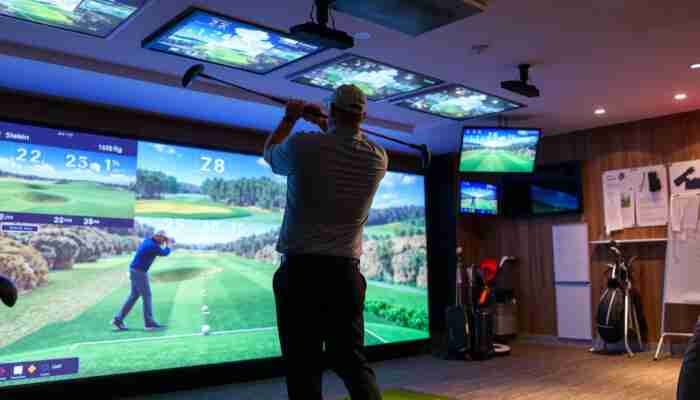
Simulator software can make practice more measurable by organizing shot data, recording sessions and creating repeatable practice environments.
That does not establish that simply using the software will improve a golfer’s real-world performance.
The software can help you:
- compare groups of shots;
- track distance or dispersion;
- repeat a drill;
- practice specific virtual situations;
- store sessions and trends;
- review the data supplied by your launch monitor.
It cannot by itself prove:
- why a golfer produced a specific swing pattern;
- that a software score equals on-course performance;
- that simulated turf reproduces every real lie;
- that improvement in a virtual drill will automatically transfer to the golf course.
For a practical workflow on using simulator feedback rather than simply collecting numbers, see our
home golf simulator practice guide.
How Much Does Golf Simulator Software Really Cost?
The software sticker price is only one part of the total cost.
Before comparing two platforms, calculate:
- initial software license;
- annual or monthly subscription;
- required launch-monitor membership;
- course packs or course subscriptions;
- third-party integration access;
- computer upgrades required by the software;
- optional league, commercial or premium features.
Do You Need a Gaming PC?
No universal computer requirement applies to all golf simulator software.
Current platforms illustrate the difference:
- GSPro: Windows-only and benefits from a dedicated GPU, especially at 4K.
- Foresight Premier: Windows-only simulator application with relatively demanding current PC specifications.
- Awesome Golf: can run on Windows and several mobile/Apple platforms, with supported hardware combinations varying by platform.
- E6 CONNECT: supports PC and iOS.
- SKYTRAK: provides current apps for Windows, macOS, iOS and Android.
For a Windows simulator, use the specifications published by the exact software provider rather than a single generic “golf simulator PC” minimum.
If your chosen software does require a dedicated PC, compare the site’s
golf simulator computers.
Course Realism Is a Separate Decision
The most realistic-looking software is not automatically the best overall software for your setup.
Course realism depends on several layers:
- course modeling and source data;
- terrain and ball physics;
- graphics engine and rendering;
- projector or display quality;
- computer performance;
- the quality of the launch-monitor inputs supplied to the software.
For the deeper comparison, see
the most realistic golf simulator software.
Multiplayer Is Also More Complicated Than “Yes or No”
Local multiplayer and online multiplayer solve different needs.
Before choosing software for social play, check:
- how many local players can join one bay;
- whether online players need separate licenses;
- whether cross-platform online play is supported;
- which game formats work online;
- whether a paid tier is required;
- how tournaments and leagues differ from casual peer-to-peer play.
For that specific task, use our
multiplayer golf simulator software guide.
Using Golf Simulator Software at Home
The software is only one part of a complete home simulator.
A home setup may also require:
- launch monitor;
- hitting mat;
- net or impact screen;
- enclosure and room protection;
- projector or separate display;
- computer or compatible mobile device;
- network and power connections.
Use the
home golf simulator component checklist
for the complete hardware-and-room compatibility task rather than treating software selection as the entire setup decision.
Golf Simulator Software Buying Checklist
- Write down the exact launch-monitor model.
- Check the current official compatibility list.
- Confirm the operating system and computer requirements.
- Check whether the launch-monitor manufacturer requires a paid third-party-access plan.
- Decide whether your priority is practice, course play, multiplayer or coaching.
- Check the exact course library or content tier you would receive.
- Confirm local versus online multiplayer if social play matters.
- Add software and hardware subscriptions together.
- Check whether courses or premium content cost extra.
- Check cancellation, renewal and upgrade terms.
- Download a trial first where one is available.
Which Golf Simulator Software Should You Choose?
You want a Windows simulator with a large community course ecosystem
Start by checking GSPro compatibility with your exact launch monitor.
You want practice games and flexible device options
Look closely at Awesome Golf.
You want an established cross-platform virtual-golf ecosystem
Compare the exact E6 CONNECT license available for your hardware.
You own SKYTRAK
Compare the first-party SKYTRAK membership tiers before adding another platform.
You own Foresight hardware
Compare Foresight+ / Premier first, then decide whether Gold + separate third-party software adds enough value.
Realism or multiplayer is your main requirement
Use the dedicated GolfSimPlanet comparison for that narrower decision instead of choosing from a generic ranking.
Frequently Asked Questions
What is golf simulator software?
Golf simulator software receives data from a compatible launch monitor or tracking system and uses it for practice feedback, virtual ball flight, course play, games or other simulator functions. The launch monitor measures or derives the shot data; the software presents and uses that data.
What is the best golf simulator software?
There is no universal best platform. The correct software depends first on launch-monitor compatibility, then on your operating system, computer, desired courses, practice tools, multiplayer needs and total licensing cost.
How much does golf simulator software cost?
Current software ranges from free manufacturer tiers to monthly, annual or lifetime licenses. For example, GSPro currently costs $250 per year, while Awesome Golf lists $14.99 monthly, $159.99 annually or $349.99 lifetime in the US. The real cost can be higher when the launch monitor also requires a paid integration tier.
Is golf simulator software compatible with every launch monitor?
No. Compatibility is product-specific, and the supported connection can also depend on the operating system and software version. Always verify your exact launch-monitor model before purchasing.
Can I use golf simulator software on a Mac, iPad or Android device?
Some platforms support those devices and others do not. GSPro currently requires Windows, while Awesome Golf and SKYTRAK support several non-Windows platforms. E6 CONNECT supports PC and iOS. Check the exact launch-monitor combination because platform support can differ by hardware.
Do I need a gaming PC?
Only if your selected software requires one. High-resolution GSPro and Foresight Premier setups benefit from dedicated graphics hardware, while some other simulator applications can run on mobile or Apple devices.
Does golf simulator software improve your golf game?
Software can provide structured practice environments, organize launch-monitor feedback and make shot patterns easier to review. That does not by itself prove that using a particular simulator program will improve real-course performance.
Do I need a subscription?
It depends on the software and hardware. GSPro currently uses an annual subscription, Awesome Golf offers monthly, annual and lifetime options, and manufacturer ecosystems such as SKYTRAK and Foresight use tiered plans. Some launch monitors also require an active manufacturer subscription before third-party software can connect.
Bottom Line
Golf simulator software should be selected in this order: hardware compatibility → operating system and computer → intended use → features → total licensing cost.
Do not buy a program because it has the longest course list or the most impressive screenshots before confirming that your launch monitor can connect to it under your actual hardware and subscription configuration.
For some golfers, the best answer will be a broad third-party platform such as GSPro, E6 CONNECT or Awesome Golf. For others, the first-party software supplied by SKYTRAK, Foresight or another launch-monitor manufacturer will be simpler and less expensive once all required subscriptions are counted.

Ethan Reynolds is a passionate writer and enthusiast in the world of indoor golf simulators. With a keen eye for technology and a deep understanding of golf dynamics, he explores the intersection of sports performance and innovative simulation tools. Through his engaging articles, Ethan provides valuable insights and tips for golfers at all levels, helping them enhance their game while enjoying the convenience of home-based training.


Discussion