

Table of Contents
- Local multiplayer vs. online multiplayer: the distinction that matters
- Multiplayer golf simulator software compared
- Launch monitor compatibility comes before graphics or course count
- Cost and long-term value: calculate the complete software setup
- Multiplayer setup and connection checklist
- Which software makes sense for your situation?
- Multiplayer golf simulator software: common questions
The best indoor golf simulator software for multiplayer depends on where the other players are. Playing with friends in the same simulator bay is not the same as joining a round from separate locations. Start by choosing local or online multiplayer, then confirm support for your launch monitor, computer, account and software license before buying. GSPro, TruGolf’s E6 software, Awesome Golf and The Golf Club 2019 serve different situations—and their multiplayer features should not be treated as interchangeable.
Quick answer: which option should you investigate first?
- Friends at home and online: GSPro explicitly documents local and online play for up to eight players; check its officially supported launch monitor list and Windows PC requirements.
- Family games with one launch monitor: Awesome Golf documents adding up to four people, including guest players. Do not confuse its worldwide leaderboards with confirmed simultaneous online matchmaking.
- TruGolf and E6 setups: distinguish E6 CONNECT from E6 Golf 2026. Plans, devices and network features must be checked for the exact version.
- Existing TGC 2019 owners: older network-play instructions exist, but they do not establish that online services remain available today.
Local multiplayer vs. online multiplayer: the distinction that matters
Local multiplayer usually means several players take turns using one launch monitor, hitting area and simulator screen. It suits families, guests and casual rounds at home. The software must allow additional player profiles, different tees or handicaps where applicable, and a practical turn order.
Online multiplayer involves people joining from different simulator installations over a network. It may require an active subscription, separate accounts, compatible software versions and access to the vendor’s online service. A software package can offer local rounds or asynchronous leaderboards without offering live remote matches.
| Buyer question | Same-room local play | Remote online play |
|---|---|---|
| Where are the golfers? | One simulator bay | Different locations or bays |
| Equipment | Typically shared launch monitor and hitting area | Each location normally needs its own compatible setup |
| Most important checks | Player slots, guests, scoring, turn order | Accounts, subscriptions, online service, software version, connection |
| Common misunderstanding | “Multiplayer” may mean only taking turns locally | Leaderboards are not necessarily live head-to-head play |
Multiplayer golf simulator software compared
The following is a feature-and-verification comparison, not a ranking based on hands-on testing. Product information is taken from linked vendor documentation reviewed on October 13, 2026. Where current availability is not confirmed, the table says so rather than filling in a guess.
| Software | Local multiplayer | Online / remote play | Key buying consideration |
|---|---|---|---|
| GSPro | Vendor confirms up to 8 players | Vendor confirms up to 8 players online | Windows 10/11; $250/year listed by vendor; verify officially supported monitor and any additional hardware plan. |
| E6 CONNECT | Check current plan and match modes | Verify live remote-match entitlement for selected plan | Previous-generation E6 platform; exact version, device integration and commercial/home license matter. |
| E6 Golf 2026 | Team play modes documented; check session limits | Online events documented; do not assume every remote head-to-head mode | Separate newer product; TruGolf lists Windows PC requirements and subscription tiers. |
| Awesome Golf | Up to 4 people, registered or guests | Worldwide challenges/leaderboards; synchronous remote matches not established here | Good to investigate for family games, accessible interfaces and supported mobile/PC devices. |
| TGC 2019 | Check existing license and supported game modes | Historical setup guide exists; current service availability not verified | Older title; confirm support and online access directly before buying for multiplayer. |
Sources: GSPro official site; TruGolf software overview; E6 Golf 2026; Awesome Golf player guide; ProTee’s historical TGC 2019 network guide.
GSPro: a clearly documented choice for both local and online rounds
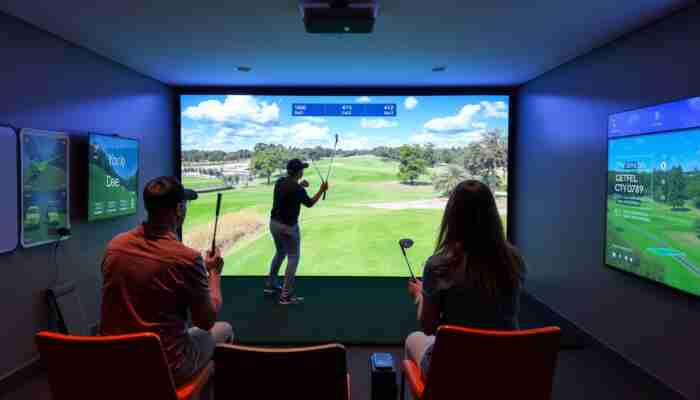
GSPro explicitly advertises local and online rounds with up to eight players. Its current website lists $250 per year, a Windows PC requirement and a supported-device list. That makes it straightforward to evaluate if you have a compatible launch monitor and want to play with friends across separate simulator rooms. Do not assume every third-party launch monitor connects natively: verify the exact model and any prerequisite subscription or connector on GSPro’s official compatibility and pricing information.
E6 CONNECT and E6 Golf 2026: confirm which generation you are purchasing
TruGolf currently markets both E6 CONNECT and the newer E6 Golf 2026. They should not be combined into a single undifferentiated entry. The manufacturer describes team-play modes and online events for E6 Golf 2026, while E6 CONNECT remains a separately described product with private, professional and commercial uses. Before buying, confirm the software generation, the specific subscription tier, compatible launch monitor, whether you want a local party round or a live remote match, and which version provides that capability. See TruGolf’s official product overview and E6 Golf 2026 documentation.
Awesome Golf: local social golf, guests and family play
Awesome Golf is especially relevant when the priority is a shared-room experience with family or visitors. Its support documentation describes up to four players, including guest profiles. Its social modes and leaderboards are useful features, but a worldwide leaderboard should not be mistaken for proof of simultaneous remote matchmaking. Check whether your own launch monitor and computer or mobile device are supported before starting a trial. Read the player setup instructions.
TGC 2019: treat current network availability as an open question
The Golf Club 2019 has a history of simulator network play, and ProTee still publishes an older setup walkthrough. However, a historical instruction page does not prove that multiplayer servers and accounts work now. Existing owners should check their license and current service status; new buyers who need dependable online play should obtain explicit confirmation before purchasing. See ProTee’s support materials.
Launch monitor compatibility comes before graphics or course count
A golf simulator program is only useful if it can receive shot data from your launch monitor. The same hardware brand may have different compatibility rules by model, software generation or subscription. Check the product in this order:
- Identify the exact launch monitor model. “Works with Garmin” is not the same as a vendor listing your specific Garmin device.
- Open the software maker’s supported-device documentation. Check whether the connection is official, vendor-supported, or an external community integration.
- Check required memberships and licenses. Some device owners may need an additional software or hardware-vendor entitlement.
- Check the PC or mobile platform. Operating system, graphics card, RAM, device connection and network requirements can differ considerably.
- Confirm multiplayer access for your specific subscription. Ask explicitly about guest players, local player limits and live remote rounds.
If you are buying or upgrading a simulator PC, compare these requirements with GolfSimPlanet’s golf simulator computer options. For shoppers choosing launch monitors first, see the launch monitor category.
Cost and long-term value: calculate the complete software setup
Price is more than the number on the software checkout page. A multiplayer setup may involve an annual software license, additional launch monitor permissions, compatible PC hardware, content access and ongoing network features. Compare the costs of your working configuration, not just the entry price of each platform.
Five questions to ask before paying
- Is the license annual, monthly or perpetual, and what happens if it expires?
- Does multiplayer require an additional tier, online entitlement or a separate account for remote users?
- Does your launch monitor require a manufacturer membership or connector?
- Which courses and game modes are included, and what costs extra?
- Do updates, software support or device compatibility change when a subscription ends?
For example, GSPro currently lists $250/year, with some launch monitors requiring their own qualifying subscriptions. TruGolf distinguishes separate E6 product generations and plan tiers; do not reuse a generic E6 price across both. Prices and terms can change, so confirm them directly before publishing a purchase decision.
Once you know which features and device integrations you need, compare available products on GolfSimPlanet’s golf simulator software shop and comparison page. If visual realism, course recreation and ball physics matter more than playing with friends, use our separate realistic golf simulator software guide.
Multiplayer setup and connection checklist
Connection problems can interrupt an online round even when the software runs well in solo mode. These are general preparation checks, not guaranteed fixes for every vendor or network.
- Verify that the multiplayer mode you need is actually included in your plan and currently supported.
- Update software through the official vendor’s installer or launcher, following its release guidance.
- Check launch monitor connection and calibration before inviting other players.
- For remote play, confirm each player has compatible software, a valid login and access to the same match settings.
- Check internet stability and any network permissions described in the official troubleshooting guide.
- If a session disconnects, note any error message and consult the vendor’s current support materials before changing firewall or router settings.
- For a shared simulator bay, set up all players, tee positions and turn order before the first shot.
Why lag matters: remote sessions depend on shot results being exchanged between installations. Delays or disconnections can interrupt scoring and make a round frustrating; they do not necessarily mean the launch monitor is measuring shots incorrectly. Keep software/network troubleshooting separate from launch-monitor accuracy diagnostics.
Which software makes sense for your situation?
Friends at different homes
Start with software that explicitly documents live online play. GSPro does; check monitor compatibility and subscriptions first.
Family or guests in one room
Prioritize local player profiles, ease of use and game variety. Awesome Golf documents adding up to four players.
Existing E6 hardware or licenses
Check whether you have E6 CONNECT or E6 Golf 2026, which multiplayer mode your plan covers and whether the device is supported.
Legacy TGC 2019 setup
Validate existing license, interface and current online service availability before promising or purchasing remote multiplayer.
Multiplayer golf simulator software: common questions
Does multiplayer require two launch monitors?
Not necessarily. Local multiplayer can use one launch monitor with players taking turns. Remote online multiplayer generally requires each location to have a functioning, compatible simulator setup. Check the selected software’s rules for adding players and devices.
Can GSPro play with friends online?
Yes. GSPro’s official website documents local and online rounds with up to eight players. You still need a supported launch monitor, an appropriate Windows PC and the required software license.
Is E6 CONNECT the same as E6 Golf 2026?
No. TruGolf presents these as distinct software products. Compare multiplayer modes, device integration, subscription tiers and operating-system requirements for the exact version you intend to use.
Is a global leaderboard the same as live multiplayer?
No. A leaderboard may compare scores recorded at different times. Live multiplayer requires connected participants in a shared session or match. Confirm that the vendor supports the latter before buying specifically for remote play.
How do I know whether TGC 2019 online play still works?
Check current support or obtain written confirmation from the seller or software provider. A historical network-play setup article is insufficient evidence of current server availability.
Should I choose software before a launch monitor?
Choose them together. Decide which multiplayer mode and courses you need, then cross-check software support for the exact launch monitor model, computer and subscription before spending money on any part of the setup.
Ready to compare software for your own simulator?
Bring your launch monitor model, PC specifications and your preferred multiplayer style to the comparison. Those details narrow the options more effectively than a generic “best software” ranking.
Editorial note: Product information checked against publicly available vendor documentation on October 13, 2026. This guide compares documented features and purchase criteria; it does not claim hands-on testing of every platform. Verify current availability, compatibility, pricing and licensing with the manufacturer before purchase.

Ethan Reynolds is a passionate writer and enthusiast in the world of indoor golf simulators. With a keen eye for technology and a deep understanding of golf dynamics, he explores the intersection of sports performance and innovative simulation tools. Through his engaging articles, Ethan provides valuable insights and tips for golfers at all levels, helping them enhance their game while enjoying the convenience of home-based training.
Discussion