

Table of Contents
- How We Evaluated the Best Indoor Golf Simulators
- Best Indoor Golf Simulators at a Glance
- Best Overall for Most Home Buyers: SKYTRAK ST MAX
- Best Budget Path: Rapsodo MLM2PRO
- Best Premium Dedicated-Room System: TrackMan iO
- Best Flexible Camera-Based Setup: Garmin Approach R50
- Best for Serious Indoor Practice: Uneekor EYE XO2
- Also Consider: Foresight Sports GC3
- Choose the Simulator by Room Before Brand
- Camera vs Radar vs Overhead: What Changes Indoors?
- Measured vs Calculated Data Matters More Than the Metric Count
- Check the Software Before You Buy the Hardware
- What Does a Good Indoor Golf Simulator Really Cost in 2026?
- Do You Actually Need a Full Projected Simulator Room?
- Before-You-Buy Checklist
- Which Indoor Golf Simulator Should You Choose?
- Frequently Asked Questions
- Next Steps
- Bottom Line
2026 Indoor Golf Simulator Buying Guide
Best Indoor Golf Simulators in 2026
There is no single indoor golf simulator that is best for every buyer. The right system depends on your room, total budget, tracking and practice needs, software preferences, handedness requirements, and whether the simulator must be portable or permanently installed.
For most home buyers who want a complete projected simulator without moving immediately into five-figure overhead hardware, our current overall pick is the SKYTRAK ST MAX. For a low-cost practice-first setup, the Rapsodo MLM2PRO provides a much cheaper entry point. TrackMan iO is our premium dedicated-room choice, Garmin Approach R50 is the strongest flexible camera-based option in this shortlist, and Uneekor EYE XO2 stands out for serious indoor practice built around a permanent overhead installation.
If you want to browse the wider product catalog rather than the editorial shortlist, see all
golf simulator systems.
Last verified: October 2, 2026 · US market. Prices, promotions, software plans and package contents can change. This roundup is based on current manufacturer specifications, current package pricing and a consistent editorial comparison framework; it is not presented as hands-on testing of every listed system.
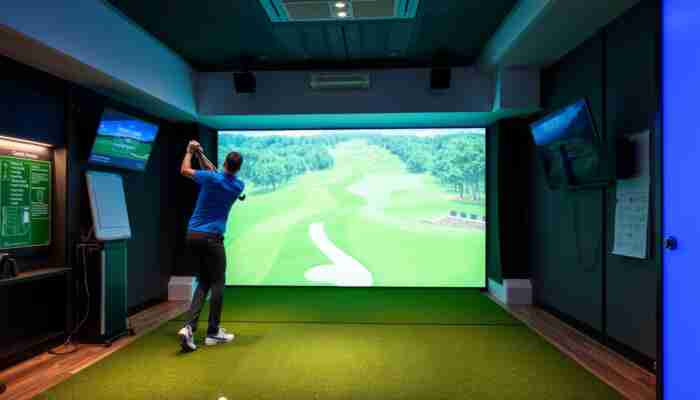
Quick picks
SKYTRAK ST MAX
Rapsodo MLM2PRO
TrackMan iO
Garmin Approach R50
Uneekor EYE XO2
How We Evaluated the Best Indoor Golf Simulators
We evaluated each simulator path using the same buyer-focused criteria rather than simply comparing brand reputation or the number of metrics displayed on a product page.
The main criteria were:
- Total usable setup cost — not only the launch-monitor price.
- Room fit — including where the tracking device must be positioned.
- Tracking architecture — camera, radar or hybrid, floor-based or overhead.
- Ball and club data — including conditions such as marked balls or club stickers where relevant.
- Software and recurring cost — memberships, course access and third-party compatibility.
- Installation — portable setup versus permanent ceiling mounting.
- Shared use — including right- and left-handed golfers.
- Upgrade path — whether the system can start as practice equipment and later become a full simulator.
- Buyer fit — the specific use case where the trade-offs make sense.
Best Indoor Golf Simulators at a Glance
| Pick | Best for | Current hardware price* | Usable setup starting point* | Tracking / placement | Main trade-off |
|---|---|---|---|---|---|
| SKYTRAK ST MAX | Most home buyers wanting a projected room | $1,695 sale / $2,995 regular | Standard Studio from $4,195 sale | Floor unit; camera + radar system | Floor-side placement can be less convenient for mixed-handed use |
| Rapsodo MLM2PRO | Budget / practice-first buyers | $599.99 sale | About $1,499 with current $899 SwingNet Pro practice package + monitor | Radar + dual cameras; positioned behind ball | Needs significant indoor depth; premium features require membership |
| TrackMan iO | Premium dedicated simulator rooms | From $13,995 | TrackMan official build example: $35,740 before variable install/shipping | Ceiling mounted; radar + high-speed imaging + IR | High total build cost and fixed installation |
| Garmin Approach R50 | Flexible camera-based indoor setup | $4,999.99 | Complete studio from about $8,195 at current authorized-retailer pricing | Three-camera floor unit placed beside tee | Premium portable price; club stickers required for some club data |
| Uneekor EYE XO2 | Data-focused practice and permanent overhead rooms | $10,999 | Configured third-party packages currently around $14,900+ | Three high-speed photometric IR cameras; overhead | PC required; permanent installation; advanced software tiers can add recurring cost |
*US pricing checked October 2, 2026. Sale prices, configuration choices, shipping, tax, PC requirements, software and installation can change the final cost.
Best Overall for Most Home Buyers: SKYTRAK ST MAX
SKYTRAK ST MAX is our current overall home pick because it sits in the middle of the market where a buyer can move from launch monitor to complete projected simulator without immediately entering premium overhead-system pricing.
The current ST MAX combines photometric camera tracking with dual Doppler radar and reports both ball and club data. SKYTRAK currently lists the launch monitor at $1,695 on sale, while its Standard Studio package starts at $4,195 during the same promotion.
The Standard Studio currently includes:
- SKYTRAK ST MAX launch monitor;
- enclosure, impact screen and frame;
- 5 × 5 ft hitting mat;
- ZW350ST short-throw projector.
That matters because a launch monitor priced under $2,000 can look inexpensive until the screen, enclosure, projector and hitting area are added. The official studio package makes the total path much easier to understand.
You want a serious home simulator without committing to a ceiling-mounted five-figure launch monitor.
Right- and left-handed golfers will constantly alternate and you want hardware completely off the floor.
SKYTRAK currently sells Essential, Core and Elite membership tiers, so determine which practice and course features you actually need rather than assuming the launch-monitor purchase unlocks every software function permanently.
Current specifications and pricing verified against
SKYTRAK.
Best Budget Path: Rapsodo MLM2PRO
Rapsodo MLM2PRO is our budget pick when the priority is useful indoor practice and simulator capability at the lowest practical entry cost — not a polished projected room on day one.
As of October 2, Rapsodo lists the MLM2PRO at $599.99 on sale. Its current SwingNet Pro Practice Package starts at $899 before adding the launch monitor, putting a monitor + net/mat practice path at roughly $1,499 before optional software costs.
The compromise is space. Rapsodo recommends approximately:
- 8 ft from the ball to the net; and
- 6.5–8.5 ft from the MLM2PRO to the ball.
That means the budget winner is not automatically the best system for a short room.
Another important qualification is spin. Rapsodo states that its RPT-patterned balls are required to obtain measured spin numbers indoors. Its Premium membership currently costs $199.99 per year after the included trial and unlocks features such as simulator courses, advanced metrics and third-party compatibility.
For more affordable paths, use our dedicated
budget golf simulator guide.
Current pricing, room requirements and membership details verified against
Rapsodo.
Best Premium Dedicated-Room System: TrackMan iO
TrackMan iO is our premium pick for buyers intentionally building a permanent simulator room around the TrackMan ecosystem.
The iO is ceiling mounted and combines radar, infrared lighting and high-speed imaging. TrackMan states that it directly measures 3D spin and spin axis and requires no club or ball markers.
The hardware starts at $13,995, but the launch monitor is only part of the investment. TrackMan currently publishes a complete US home-simulator example totaling $35,740:
- TrackMan iO — $13,995;
- projector — $4,500;
- high-performance PC — $2,995;
- touch screen — $500;
- FlexCage build — $9,000;
- impact screen and backing — $2,300;
- turf/subfloor — $1,750;
- hitting mat — $700.
TrackMan lists shipping, installation, design and project-management costs separately and currently lists the annual software subscription at $700.
The iO itself does not need a long radar-style ball-flight corridor in front of or behind the ball. However, the complete simulator room still needs enough space for the golfer, screen and projection geometry. TrackMan’s recommended full-room dimensions are 15+ ft wide, 10+ ft high and 18+ ft deep, with more flexible minimum layouts possible depending on configuration.
For dual-handed use in a narrow bay, TrackMan separately markets the iO DUO for bays as narrow as 10 ft. Do not assume that statement applies identically to every iO configuration.
See our
TrackMan iO guide
for the simulator-specific buying path.
Current technical specifications and pricing verified against
TrackMan iO
and TrackMan’s current home-simulator pricing example.
Best Flexible Camera-Based Setup: Garmin Approach R50
Garmin Approach R50 is our flexible-room pick because its three-camera tracking system sits beside the hitting area rather than requiring several feet of device space behind the golfer.
Garmin instructs users to place the R50 approximately 1.5 ft to the side of the tee location. Its support documentation does not specify a fixed minimum ball-to-screen measurement, although Garmin recommends roughly 8 ft or more for most users.
Garmin also recommends, for typical indoor use:
- about 9 ft or more of ceiling height;
- about 10 ft or more of width;
- about 13 ft or more of width for dual-handed setups.
These are Garmin’s general setup recommendations, not universal simulator-room dimensions. Your actual swing and enclosure can require more space.
The R50 costs $4,999.99 and includes a 10-inch touchscreen. Garmin says the unit tracks more than 15 ball and club metrics using three high-speed cameras, including measured spin rate and spin axis. Club tracking stickers are required for included club-data functionality.
A current authorized-retailer complete studio package starts around $8,195 and adds the enclosure, impact screen, projector, hitting/putting mats and related studio hardware.
No rear radar corridor, portable hardware and a built-in display reduce dependence on a permanent PC-first setup.
Your side clearance, swing clearance, club-sticker workflow, membership needs and software choice.
Current model specifications verified against
Garmin.
Complete-studio pricing checked against the current authorized PlayBetter configuration.
Best for Serious Indoor Practice: Uneekor EYE XO2
Uneekor EYE XO2 is our practice-first overhead pick for golfers who want a large fixed hitting zone and a broad set of ball and club data inside a dedicated simulator room.
The EYE XO2 uses three high-speed photometric infrared cameras and a 28 × 21 in hitting zone. Uneekor lists 24 ball and club data points and supports any normal golf ball.
Current US hardware price is $10,999. The standard Player software package is included. Uneekor currently lists Ultimate Membership at $599 per year, with three months included, for users who need features such as additional profiles, Refine+ content and third-party software access.
Important ownership details:
- PC required;
- front overhead installation;
- Uneekor lists 10 ft as the optimal mounting height;
- club stickers are recommended/required for accurate club-data capture depending on the feature;
- third-party software access requires an eligible software tier.
A current authorized-dealer DIY package centered on the EYE XO2 starts around $14,900 before configuration changes, making this a materially different purchase from a $10,999 standalone launch monitor.
For the broader Uneekor package path, see
Uneekor golf simulators.
Current specifications, price and software tiers verified against
Uneekor.
Also Consider: Foresight Sports GC3
Foresight Sports GC3 is a strong alternative when you want a serious portable camera-based launch monitor that can move between indoor simulation and outdoor practice.
The current GC3 uses three high-speed cameras and measures ball data including ball speed, launch angle, side angle and spin, plus club-head speed, smash factor, club path and angle of attack with the club-data configuration.
Foresight currently lists the GC3 at $6,999. Its current SIM IN A BOX configuration with GC3 starts at $15,999 and includes the launch monitor, enclosure and impact screen, hitting mat/turf, projector and FSX software suite; the gaming PC is not included.
That makes the GC3 more expensive than the current SKYTRAK path but more portable than an overhead TrackMan, Falcon or EYE XO2 installation.
Current specifications and package pricing verified against
Foresight Sports.
Choose the Simulator by Room Before Brand
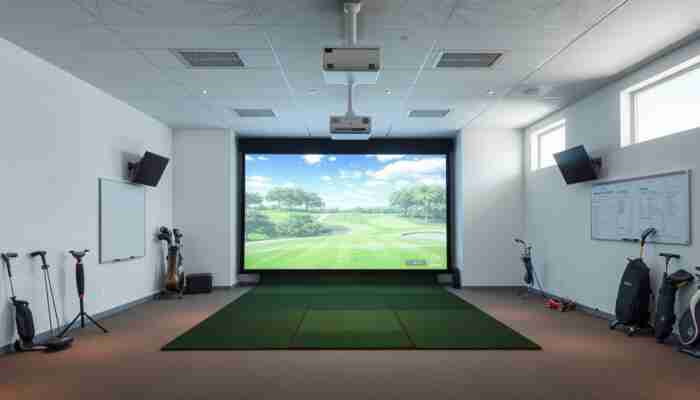
The best simulator is the one that works correctly in the room you actually have. A product can have excellent specifications and still be the wrong purchase because its placement geometry conflicts with the room.
Check four different space requirements:
1. Swing Clearance
The tallest golfer using the system must be able to make a full swing with the longest club they intend to hit. Ceiling fixtures, beams, garage-door hardware and projector mounts count as obstructions.
2. Tracking Placement
A rear radar system can require substantial depth behind the ball. A floor-side camera system uses side space instead. An overhead system removes floor hardware but requires a suitable ceiling location and permanent mounting.
3. Ball-to-Screen or Ball-to-Net Distance
This requirement can come from safety, screen performance, radar tracking or the specific simulator package. Do not copy one manufacturer’s number to another system.
4. Right- and Left-Handed Use
A floor-side launch monitor can require repositioning when handedness changes. Rear-mounted radar and overhead systems can simplify switching, but the room still needs enough width for both golfers to swing comfortably.
Use our
home golf simulator setup guide
once you have narrowed the hardware shortlist.
Camera vs Radar vs Overhead: What Changes Indoors?
| Tracking layout | Main indoor advantage | Main constraint |
|---|---|---|
| Floor-side camera / photometric | Does not normally need a long device area behind the golfer | Can complicate frequent right/left-handed switching |
| Rear radar / hybrid | Device stays behind the hitting line and can suit shared-handed setups | Often needs greater total room depth |
| Overhead camera system | Clean floor and permanent hitting zone | Requires ceiling installation and is not portable |
| Overhead hybrid radar + camera | Combines overhead room integration with multiple sensing methods | Premium hardware and installation cost |
Tracking technology does not by itself establish that one product is universally “more accurate.” Data availability, measurement method, setup conditions and the specific metric all matter. For the deeper technical decision, read
how to compare golf launch monitor accuracy.
Measured vs Calculated Data Matters More Than the Metric Count
A simulator displaying a metric does not automatically mean the hardware measures that value directly.
Examples from the current shortlist show why buyers should read the details:
- TrackMan iO: TrackMan explicitly states that 3D spin and spin axis are directly measured.
- Garmin Approach R50: Garmin specifically identifies measured spin rate and spin axis.
- Rapsodo MLM2PRO: measured spin rate and spin axis indoors require RPT-patterned balls.
- Uneekor EYE XO2: club data is available, but club stickers are part of the accurate club-data workflow.
If serious practice is the main goal, use the
golf simulator swing analysis guide
to understand how ball data, club data and video fit together.
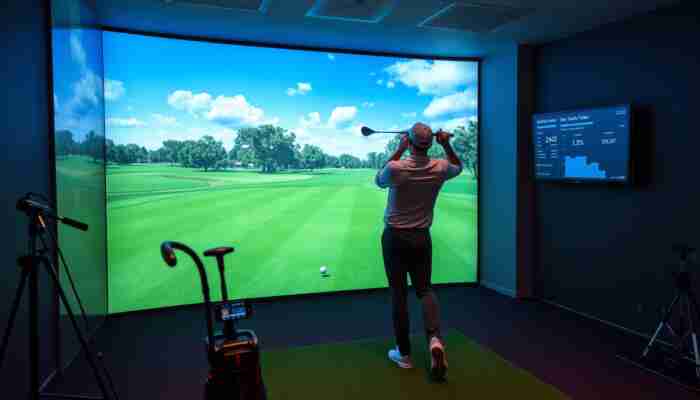
Check the Software Before You Buy the Hardware
Software compatibility can turn an otherwise excellent launch monitor into the wrong simulator for your use case.
Before purchasing, confirm:
- which first-party simulator software is included;
- whether third-party software is supported;
- whether a higher subscription tier is required for third-party connectivity;
- whether Windows, iOS, Android or another device is required;
- whether a gaming PC is required;
- which courses are included;
- annual membership or license fees;
- what features remain available if you stop subscribing.
Use our
golf simulator software compatibility guide
for the separate software decision.
What Does a Good Indoor Golf Simulator Really Cost in 2026?
The real simulator cost is the cost of the usable configuration, not the price of the tracking device.
The current shortlist illustrates the range:
- Practice-first: approximately $1,500 for the current MLM2PRO + SwingNet Pro path before ongoing software.
- Mainstream projected home room: SKYTRAK ST MAX Studio currently starts around $4,195 during its promotion.
- Premium portable-camera studio: Garmin R50 complete packages currently begin around $8,195.
- Permanent data-focused overhead room: current EYE XO2 package examples start around the mid-$14,000s before upgrades or PC requirements.
- Premium TrackMan room: TrackMan’s own current example totals $35,740 before variable shipping, installation and design costs.
Those examples are more useful than pretending every indoor golf simulator belongs to one universal price tier.
For component-by-component budgeting, use the canonical
home golf simulator cost guide.
Do You Actually Need a Full Projected Simulator Room?
A full simulator room is not automatically the best first purchase.
Choose a practice-first setup when:
- shot data matters more than virtual-course immersion;
- you are unsure which software ecosystem you want;
- the room may change;
- you want to use the launch monitor outdoors as well;
- you want to spread the build across multiple upgrades.
Choose a full projected simulator when:
- virtual course play is a primary reason for buying;
- the room is already committed to golf;
- family or guests will use it for entertainment;
- you want the hitting screen directly in front of you rather than viewing data on a tablet or monitor;
- you are comfortable planning projector, screen and enclosure geometry now.
Before-You-Buy Checklist
- Measure your actual swing clearance.
- Confirm exact launch-monitor placement requirements.
- Decide whether right- and left-handed users must switch quickly.
- Check which ball and club metrics are measured, calculated or dependent on markers.
- Confirm which software works with the exact hardware model.
- Check OS and computer/device requirements.
- Calculate subscriptions for at least the next three years.
- Add the enclosure, screen or net.
- Add projector and mount if using projection.
- Add the hitting mat and surrounding flooring.
- Check installation, electrical and network requirements.
- Read the warranty and return policy.
- Compare the total usable system cost — not the launch monitor alone.
Which Indoor Golf Simulator Should You Choose?
Start with SKYTRAK ST MAX.
Start with Rapsodo MLM2PRO + net/mat.
Compare TrackMan iO first.
Look closely at Garmin Approach R50 or another side-mounted camera system.
Start with Uneekor EYE XO2.
Add Foresight GC3 to the shortlist.
Frequently Asked Questions
What is the best indoor golf simulator in 2026?
For most home buyers, our current overall pick is SKYTRAK ST MAX because its complete studio path combines a current-generation indoor launch monitor with a screen, enclosure, mat and projector at a substantially lower total cost than premium overhead systems. The best choice changes when budget, room or use case changes.
What is the best affordable golf simulator?
Rapsodo MLM2PRO is our budget practice-first pick. The current hardware price is $599.99 on sale, and it can be paired with a net and mat before investing in a projector and full enclosure. It requires more room depth than side-mounted camera systems.
What is the best premium indoor golf simulator?
TrackMan iO is our premium dedicated-room pick when the buyer specifically wants a fixed TrackMan indoor ecosystem. It starts at $13,995 for the launch monitor, while TrackMan’s current published full-room example totals $35,740 before variable project costs.
Which simulator is best for a small room?
There is no universal small-room winner. Systems positioned beside the ball, such as Garmin Approach R50, avoid the rear-device depth required by launch monitors such as Rapsodo MLM2PRO. You still need enough room to swing and enough safe distance to the screen or net.
Do I need 10-foot ceilings for a golf simulator?
Not universally. Ceiling requirements depend on the golfer, club, swing, enclosure and launch-monitor installation. Garmin suggests about 9 ft or more for most Approach R50 users, while Uneekor lists 10 ft as the optimal EYE XO2 mounting height. Always verify the exact model and your own swing clearance.
Is camera tracking better than radar indoors?
Not automatically. Camera systems can work with very little ball flight and are common in indoor-first products. Rear radar systems can simplify device placement for alternating right- and left-handed players but often require more room depth. Hybrid systems combine multiple sensing methods. Compare the exact device rather than judging accuracy from the technology label alone.
How much should I budget for a complete golf simulator?
Current real-world examples range from roughly $1,500 for a practice-first monitor/net/mat path to around $4,000–$8,000 for current mainstream projected packages and well into five figures for premium overhead rooms. Always compare exactly what the package includes.
Do golf simulators require annual subscriptions?
Some do for specific software, course libraries, advanced features or third-party connectivity; others include a base software level and charge only for optional tiers. Check the exact software plan before comparing hardware prices.
Should I start with a launch monitor and net or build the full simulator immediately?
Start with a monitor and net when practice data is the priority or when you are uncertain about the permanent room. Build the projected room immediately when virtual course play and a finished simulator experience are core requirements and the space is already committed.
Next Steps
Once you know which buyer profile fits you, use the more specialized GolfSimPlanet guides rather than forcing every decision into one roundup.
Bottom Line
The best indoor golf simulator in 2026 depends less on which brand has the strongest marketing claim and more on whether the complete system fits your room, budget, software requirements and intended use.
For most home buyers, SKYTRAK ST MAX currently offers the strongest balance in this shortlist between hardware cost and a complete projected-studio path. Rapsodo MLM2PRO is the lower-cost way to begin with practice first. Garmin Approach R50 solves a different problem by avoiding a long rear-device requirement. Uneekor EYE XO2 makes more sense when serious data-driven practice and permanent overhead installation matter. TrackMan iO belongs at the premium end when the entire room is being built around that ecosystem.
Measure the room first, compare the complete usable cost second, and choose the launch monitor only after those constraints are clear.

Megan Thompson is an accomplished author and expert on indoor golf simulators, dedicated to helping golf enthusiasts enhance their game at home. With a passion for technology and sports, she explores the latest advancements in simulation equipment and offers insightful tips for players of all skill levels. Her engaging writing not only demystifies the complexities of indoor golf but also highlights its benefits for training and recreation, making her a trusted voice in the industry.

Discussion