
Table of Contents
- Uneekor XO2 Review: Features, Benefits & Indoor Golf Simulator Setup
- How Does Uneekor XO2 Indoor Golf Simulators Work?
- Expert Insights on Uneekor XO2 Indoor Golf Simulators
- What Are the Benefits of Uneekor XO2 Indoor Golf Simulators?
- Why Invest in Uneekor XO2 Indoor Golf Simulators?
- Maintenance Tips for Uneekor XO2 Indoor Golf Simulators
- Advanced Techniques with Uneekor XO2 Indoor Golf Simulators
Uneekor XO2 Review: Features, Benefits & Indoor Golf Simulator Setup
Quick Verdict
The Uneekor XO2 is one of the strongest overhead launch monitor options for golfers building a dedicated indoor simulator. It combines overhead freedom, a larger hitting zone, near-instant shot feedback, strong software flexibility, and premium indoor practice value. It is especially appealing for golfers who want a cleaner room layout, easier right- and left-handed play, and a more serious long-term simulator setup than a portable launch monitor can deliver.
- Best for: dedicated simulator rooms, premium garages, serious home practice, mixed right- and left-handed households
- Main strengths: overhead design, large hitting zone, 25 measurable data points, third-party software compatibility, Trouble Mat integration
- Main trade-offs: premium price, permanent installation logic, Windows-only PC setup, club stickers required for club data
What makes Uneekor XO2 unique in golf simulation?
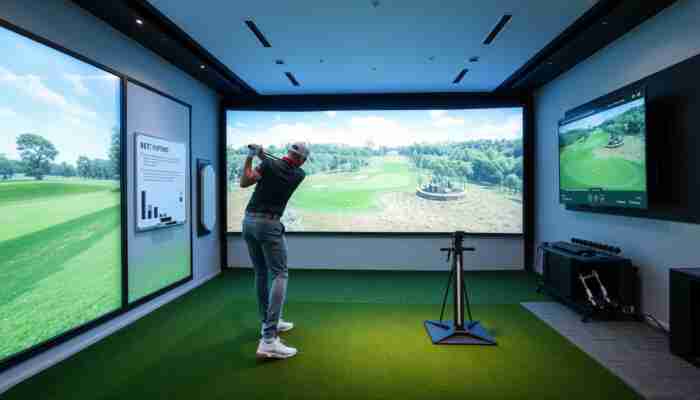
Uneekor XO2 stands out because it is built as a true overhead launch monitor for serious indoor golf rooms, not as a portable device that happens to support simulator play. That difference matters. With an overhead unit, the floor stays clear, the hitting area feels less cluttered, and the room works better for both right- and left-handed golfers without moving hardware around the ball area.
One of the biggest practical reasons golfers choose the XO2 is its larger hitting zone. The system uses three high-speed cameras and gives you a 28″ wide x 21″ long hitting zone, which makes the simulator easier to live with in real use. It reduces the “tiny strike window” feel that some golfers dislike with more restrictive setups and helps the room feel more natural during longer practice sessions.
The XO2 also sits in a premium category where buyers care about more than basic shot capture. They want strong ball and club data, stable indoor performance, software flexibility, cleaner room presentation, and a setup that will still feel serious years from now. That is why the XO2 is more relevant for golfers building a real simulator room than for golfers looking for the cheapest entry point into launch monitor practice.
What are the core components for effective play?
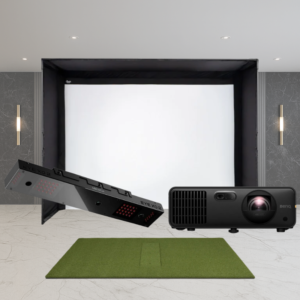
The XO2 is best understood as the centerpiece of a full simulator environment rather than a standalone gadget. In the DIY package format, it is typically paired with a Carl’s Place DIY enclosure, premium impact screen, hitting mat, and projector choice, which shows how this product is really meant to be used: as the launch monitor at the center of a complete indoor golf room.
That is also why golfers considering the XO2 should think about the rest of the room from the start. The launch monitor itself provides the shot data, but the overall user experience depends on the enclosure, screen, hitting mat, projector, software, and PC all working together. If you are still planning the room around the monitor, our enclosure packages, golf simulator computers, and short throw projectors are the natural next categories to compare.
Uneekor XO2 Key Technical Details
| Launch Monitor Type | Overhead launch monitor |
| Camera System | Three high-speed cameras |
| Hitting Zone | 28″ W x 21″ L |
| Measured Data | 25 measurable data points through VIEW software |
| Ball Type | Any golf ball |
| Club Data Note | Club stickers required for club data measurement |
| Software Options | VIEW included, plus support for GSPro, TGC 2019, E6 and more |
| Training Extras | Club Optix, Power U Report, Trouble Mat for rough and bunker simulation |
| Dimensions Without Bracket | 36.3″ L x 5.9″ W x 2.5″ H |
| Dimensions With Bracket | 36.3″ L x 5.9″ W x 4.3″ H |
- Overhead installation keeps the floor clear around the ball position
- Near-instant feedback for live ball and club data
- 25 measurable data points through Uneekor VIEW
- Club Optix adds real-time impact zone video
- Power U Report lets golfers review shot history and trends
- Trouble Mat adds rough and bunker practice to indoor sessions
- Third-party software compatibility gives the room more long-term flexibility
How do you set up your device properly?
Proper XO2 setup starts with the room, not the launch monitor. This is one of the most important practical realities of buying an overhead unit. The impact screen location, tee position, projector path, enclosure depth, and golfer swing space all need to be solved before the launch monitor is treated as “installed.”
For safety, a very practical starting point is to stand roughly 10 to 12 feet from the impact screen. For enclosure planning, it also helps to leave a small amount of clearance around the enclosure rather than trying to force the build into the absolute maximum available dimensions. That kind of room discipline is what separates a premium simulator build from a frustrating one.
Best-Practice Setup Sequence
- Measure the room and confirm usable swing space first.
- Choose the screen and enclosure size before finalizing the monitor position.
- Confirm projector placement and throw path.
- Install the overhead unit carefully and align it correctly.
- Use a suitable Windows PC with ethernet connectivity.
- Run calibration and test the full room workflow before treating the build as finished.
How Does Uneekor XO2 Indoor Golf Simulators Work?
What technology powers the simulation?
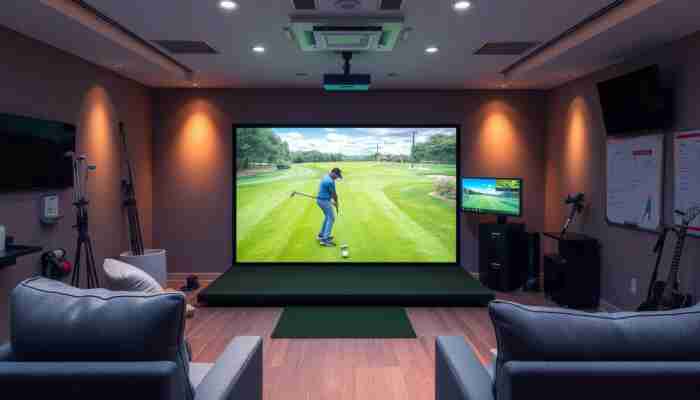
The XO2 uses a premium overhead camera-based tracking system built around three high-speed cameras. In practical use, that means the launch monitor is designed to capture the shot from above, keep the floor area open, and feed both training software and simulator software with a deeper level of feedback than simpler entry-level systems.
One of the biggest reasons this matters is that the XO2 is not just a practice monitor. It is designed to work inside a true simulator ecosystem. Uneekor VIEW provides the core measurement environment, while compatibility with software such as GSPro, TGC 2019, and E6 gives buyers more flexibility when they want to move beyond pure shot data and into course play or more immersive simulator use.
What are daily usage and interaction tips?
The best way to use the XO2 daily is to keep the room setup consistent. Use the same hitting position, the same mat alignment, the same projector and screen setup, and the same general session structure. Overhead systems reward repeatability. The cleaner and more stable the room is, the more confidence you can have in the feedback over time.
It also helps to use the XO2 with a purpose. Instead of just hitting random balls, break sessions into wedges, mid-irons, driver, or specific practice goals. That is where 25 measurable data points and shot-history review start becoming genuinely useful rather than just impressive on paper.
How can you troubleshoot common issues?
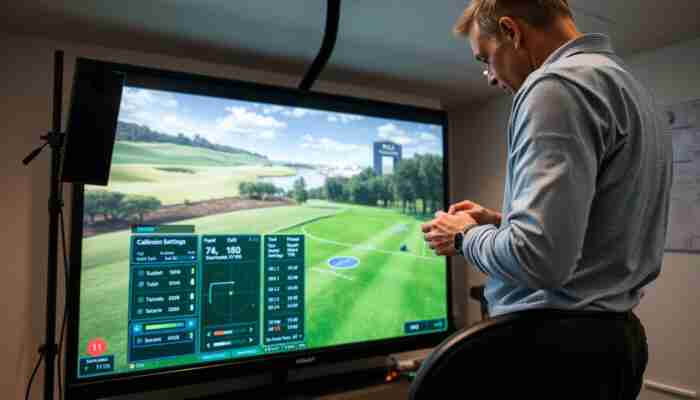
Most troubleshooting starts with room logic, connection stability, or calibration discipline rather than the hardware itself. If the XO2 suddenly feels inconsistent, the first checks should usually be installation alignment, room changes, cable stability, PC performance, and whether the hitting area is still being used consistently.
- Recheck mounting and alignment after room or mat changes
- Confirm the Windows PC and network connection are stable
- Check software updates before assuming the device is at fault
- Review whether the issue is ball data, club data, or setup-related
- Confirm club stickers are present if club data is the concern
What are the installation and initial setup procedures?
The initial setup process is best treated like room commissioning rather than simple device activation. The XO2 requires a Windows simulator PC, an integrated ethernet connection, and a room layout that actually fits overhead use. This is one of the reasons serious buyers often plan the enclosure, projector, screen, and launch monitor together rather than shopping those categories separately.
Minimum PC guidance matters here too. The XO2 requires Windows 10 64-bit version 1803 or higher, is not compatible with macOS, and is commonly paired with at least an Intel i5-8400 or similar AMD class processor, GeForce GTX 1060 graphics, 8 GB RAM minimum, integrated ethernet, and a stable internet connection. Those requirements are not small details. They determine whether the simulator will actually feel premium in use.
What are the benefits of using Uneekor XO2 for training?
The XO2 is strongest when it is used as a serious indoor training platform rather than just a simulator entertainment device. The combination of overhead freedom, broad measurement coverage, club and ball data, and Trouble Mat support makes it especially strong for golfers who want to work on carry windows, stock distances, strike consistency, and more realistic indoor practice conditions.
Expert Insights on Uneekor XO2 Indoor Golf Simulators
What are actionable steps for optimal setup?
If you want the XO2 to perform like a premium indoor system, focus on these priorities:
- Start with the room, not the launch monitor.
- Use a proper simulator PC, not a weak stopgap machine.
- Build around the actual use case: practice-first, play-first, or shared household use.
- Keep the hitting area and calibration discipline consistent.
- Think about future software and room upgrades from the beginning.
What are the benefits from advanced features?
The advanced features are valuable because they improve the total training workflow, not just the headline specs. Club Optix adds impact-zone video feedback. Power U Report makes it easier to review shot history. Trouble Mat adds indoor variety that many simulator rooms never get. Third-party software compatibility means the XO2 can grow with the room rather than locking the golfer into a narrow long-term path.
If you want to build a fuller Uneekor-based ecosystem around the monitor, start with our Uneekor launch monitors hub, the dedicated Uneekor Eye XO2 launch monitor product page, and the Uneekor Swing Optix cameras and software page.
What is the long-term maintenance advice?
Long-term XO2 maintenance is mostly about protecting consistency. Keep the room clean and dry, keep the hardware stable, keep the software current, and do not let small alignment shifts turn into long-term trust issues. Premium indoor equipment stays premium when the environment around it is maintained with the same discipline as the device itself.
What Are the Benefits of Uneekor XO2 Indoor Golf Simulators?
How does it improve golf skills?
The XO2 improves skill development by making structured indoor practice easier to repeat and easier to trust. It is especially useful for golfers who want to work on:
- Distance gapping through the bag
- Dispersion and directional control
- Strike pattern consistency
- Indoor wedge and approach practice
- Long-term progress tracking through repeatable data
What are the home-use and lifestyle advantages?
One of the understated benefits of the XO2 is how clean the room can feel once it is installed properly. Because the monitor is overhead, the floor stays more open, the simulator bay looks more intentional, and the room can feel more like a premium golf studio than a pile of equipment gathered around the ball.
How is it cost-effective over time?
The XO2 is not a budget purchase, so the cost case is not about being cheap. It is about being used. Golfers who want a high-quality indoor room, practice often, and would otherwise spend time and money on repeated upgrades usually see the strongest value. The better the room plan and the more often the simulator gets used with purpose, the better the long-term return.
Why Invest in Uneekor XO2 Indoor Golf Simulators?
What factors justify the purchase?
The XO2 makes the most sense for golfers who want a permanent, high-quality indoor environment and are ready to build the room correctly. It is easiest to justify when the golfer values overhead freedom, simulator-room cleanliness, strong measurement depth, and long-term indoor practice quality more than low upfront cost.
How does it future-proof your setup?
The XO2 future-proofs a room better than many cheaper compromises because it is already positioned in the premium overhead category. The combination of software flexibility, room-friendly design, and advanced measurement depth makes it less likely that a serious golfer will outgrow the system quickly.
How does it compare on core value aspects?
The XO2 is not about being the cheapest route into simulator golf. Its value comes from overhead usability, clean room integration, strong indoor practice relevance, software flexibility, and long-term simulator-room fit. For the right buyer, that is better value than buying lower and upgrading repeatedly.
Maintenance Tips for Uneekor XO2 Indoor Golf Simulators
How to clean and care for components?
Routine care should be simple and consistent:
- Keep the room and hitting area clean and dry
- Inspect mounting stability periodically
- Check cables and PC connections regularly
- Clean visible surfaces gently with suitable materials
- Replace club stickers when needed for reliable club data capture
How often should you update software?
Software should be kept current enough to protect feature access, compatibility, and stable simulator use. In a premium room, software discipline is part of ownership quality.
What are the storage best practices?
Because the XO2 is an installed overhead unit, “storage” is really about room care. The device and room should be kept in a cool, dry, stable indoor environment without excessive dust, moisture, or avoidable temperature extremes.
How to calibrate the simulator for accuracy?
Calibrate carefully after installation and any time meaningful room or setup changes occur. If the simulator suddenly feels less trustworthy, revisit alignment and setup logic before assuming the hardware itself is failing.
Advanced Techniques with Uneekor XO2 Indoor Golf Simulators
What advanced features enhance training?
The XO2 becomes much more valuable when used for structured practice instead of just simulator rounds. Golfers get the most from it when they use it for:
- Wedge mapping and stock-distance calibration
- Driver dispersion sessions
- Carry-distance planning through the bag
- Lie-specific indoor work with the Trouble Mat
- Long-term pattern tracking through shot-history review
How to integrate with other tools?
The XO2 works best when the room is built intelligently around it. That can include the right enclosure, a premium impact screen, the right projector, a suitable simulator PC, and supporting Uneekor tools such as Swing Optix. The stronger the full room integration, the stronger the launch monitor feels in actual ownership.
How to measure progress effectively?
The smartest way to use XO2 data is to track repeatable patterns over time instead of reacting to isolated swings. Pick a small number of meaningful performance goals, review them regularly, and let the system support structured progress instead of random feedback chasing.
Bottom Line
The Uneekor XO2 is one of the most compelling overhead options for golfers building a serious indoor golf simulator room. Its biggest strengths are the overhead experience, larger hitting-zone usability, 25-point measurement environment, strong software flexibility, and cleaner fit inside a premium room. Its biggest trade-offs are cost, installation commitment, Windows-only setup logic, and the fact that buyers in this category will naturally compare it against the very best systems on the market.
FAQs
What is the Uneekor XO2?
The Uneekor XO2 is a premium overhead launch monitor built for dedicated indoor golf simulator rooms. It is best known for its overhead placement, larger hitting zone, advanced data environment, and stronger fit for serious home or studio simulator builds.
How does the Uneekor XO2 improve my golf game?
It improves practice by making indoor training more repeatable and more structured. The biggest value comes from near-instant feedback, 25 measurable data points, strong club and ball feedback, and a room layout that supports frequent use with less floor clutter.
Is the setup process complicated?
It is more involved than a portable launch monitor because the XO2 is designed for permanent overhead installation. The room, enclosure, screen, projector, PC, and calibration workflow all need to be planned together.
What technology is used in the Uneekor XO2?
The XO2 uses an overhead camera-based tracking system built around three high-speed cameras and integrates with Uneekor VIEW plus third-party simulator software options.
Does the Uneekor XO2 work with GSPro?
Yes. The XO2 is commonly used with GSPro and also supports other third-party simulator software options such as TGC 2019 and E6, which is one reason it remains attractive to serious simulator buyers.
What PC do I need for Uneekor XO2?
The XO2 requires a Windows PC and is not compatible with macOS. A practical minimum baseline includes Windows 10 64-bit, integrated ethernet, GTX 1060-class graphics, and at least 8 GB RAM, with stronger hardware recommended for more demanding simulator use.
Do I need club stickers for Uneekor XO2?
Yes, club stickers are required for club data measurement.
How far should I stand from the impact screen?
A very practical recommendation is around 10 to 12 feet from the impact screen for safety and better overall simulator-room function.
What is included in the Uneekor XO2 DIY golf simulator package?
The DIY package is typically built around the XO2 launch monitor, a Carl’s Place DIY enclosure with premium impact screen, a hitting mat choice, and a projector choice, with optional accessories available for a more complete room build.
Is the Uneekor XO2 suitable for beginners?
It can be used by beginners, but it is best suited to golfers who want a serious long-term simulator room and are willing to invest in premium indoor hardware, a proper PC, and a well-planned room setup.

Megan Thompson is an accomplished author and expert on indoor golf simulators, dedicated to helping golf enthusiasts enhance their game at home. With a passion for technology and sports, she explores the latest advancements in simulation equipment and offers insightful tips for players of all skill levels. Her engaging writing not only demystifies the complexities of indoor golf but also highlights its benefits for training and recreation, making her a trusted voice in the industry.

Discussion
61 Responses
I’ve been considering setting up an indoor golf simulator for a while now, and the Uneekor XO2 has definitely caught my eye. The thought of having an overhead launch monitor that accommodates both right- and left-handed play is a real game-changer for households like mine, where my spouse and I often have different preferences in our practice routines.
Setting up an indoor golf simulator is a fantastic way to bring the golf experience home, and the Uneekor XO2 really does seem to tick a lot of boxes with its overhead launch monitor. I love how it can accommodate both right- and left-handed play, which is such a practical feature. My friend and his partner are similar to you and your spouse; they’re both into golf but have their own unique swings and preferences. It made practicing a challenge until they found a setup that worked for both of them.
“I’m glad to hear you’re considering the Uneekor XO2! If you’d like to learn more about its features and see how it can enhance your indoor practice, check out this link for more details.”
https://golfsimplanet.com/ForesightSportsQuadMAXLaunchMonitor
Setting up an indoor golf simulator can definitely take your practice to another level, and the Uneekor XO2 is a solid choice with its overhead design. What strikes me about that setup is not just the accommodation for both right- and left-handed players, but how it opens up options for different types of swings and shots, which can really enhance the experience for both you and your spouse.
It’s interesting to read about the Uneekor XO2 and how it positions itself as a top choice for serious indoor golfers. I’ve been looking into building my own dedicated simulator space, and honestly, the overhead launch monitor setup sounds like a game-changer. A larger hitting zone and instant feedback would really enhance practice sessions, especially compared to some portable options I’ve tried before, which always felt a bit limited, you know?
It’s great to hear you’re considering creating a dedicated simulator space. The Uneekor XO2 can definitely transform that experience. The overhead setup not only broadens your hitting zone but also captures a fuller picture of your swing dynamics. It’s fascinating how that instant feedback can pinpoint areas for improvement, making practice feel more productive.
I love the insights you’ve shared about the Uneekor XO2! It’s fascinating how technology has transformed the way we approach golf training at home. The idea of having a dedicated simulator room is appealing; I can imagine how different it must feel to have that immersive experience compared to just hitting balls at a range.
It’s interesting to see how technology like the Uneekor XO2 is transforming the indoor golfing experience. With its overhead design, it really seems to break away from the traditional setup, allowing for a more natural swing. I appreciate that it caters to both right- and left-handed players, which can often be a hassle in cramped spaces.
It’s interesting to hear about the Uneekor XO2 and its unique features for indoor golf setups. I’ve been considering transforming a corner of my garage into a practice area, and the overhead launch monitor definitely piques my interest. I’m especially drawn to the notion of a larger hitting zone and having the freedom to play both right- and left-handed without constantly having to adjust equipment, which I can imagine would enhance the experience for family and friends who stop by to play.
It sounds like a fantastic project to turn your garage into a practice area. The idea of having a dedicated space for golf can really change how you engage with the game, especially with the right equipment. The Uneekor XO2 is definitely made with versatility in mind, and having that larger hitting zone makes it a lot easier to focus on your swing without the worry of hitting the monitor.
“That sounds like a fantastic project! If you’re interested in learning more about how the Uneekor XO2 can elevate your indoor golf experience, check out this link for additional insights and details.”
https://golfsimplanet.com/Carl'sPlaceLaunchMonitorAlignmentStand
The Uneekor XO2 certainly looks like a game changer for indoor golf enthusiasts. What really stands out to me is the emphasis on setup and usability for both right- and left-handed players. This inclusive design can significantly impact the overall experience, making it more welcoming for those who play competitively or casually.
I appreciate your thoughts on the Uneekor XO2. It’s interesting how often we overlook the significance of accommodating both right- and left-handed players in golf technology. It’s easy to focus on metrics and performance, but the user experience is just as critical, especially in a sport built around nuance and skill.
I found your insights on the Uneekor XO2 particularly engaging, especially regarding its suitability for dedicated indoor simulator setups. As someone who has been contemplating the leap into building my own indoor golf space, your review has illuminated some of the core aspects I need to consider.
I’m glad to hear that you found the insights on the Uneekor XO2 useful! Building your own indoor golf space is an exciting venture and definitely a rewarding one. When it comes to the XO2, its versatility really stands out, especially for enthusiasts aiming to replicate an authentic golfing experience indoors.
I’m glad you found my insights helpful! If you’re considering building your own indoor golf space, check out this link for some great resources and equipment options to get you started.
https://golfsimplanet.com/Carl'sPlaceUneekorEYEXO2ProtectiveCase
It’s interesting to see the Uneekor XO2 being highlighted as a top choice for those looking to invest in a dedicated indoor golf simulator. The idea of having an overhead setup is pretty appealing, especially for someone like me who struggles with space and trying to fit a traditional setup. I love how you pointed out the flexibility it offers for both right- and left-handed players—that’s often overlooked in many reviews.
It really is something special how technology like the Uneekor XO2 can open doors for those of us limited by space. The overhead design can truly transform a small area into a functional practice zone, allowing for a more immersive experience without needing the vast room that traditional setups often require.
The Uneekor XO2 certainly seems to position itself well within the indoor simulator market, particularly for those who prioritize a dedicated space for their practice. However, I wonder if the overhead setup potentially limits space utilization in smaller rooms.
You bring up a really important point about the Uneekor XO2 and how it fits into the space dynamics of indoor simulators. There’s something special about having a dedicated area for practice; it creates an environment where you can focus and really dig into improving your game. However, I fully understand the concern about overhead setups in smaller rooms.
“Absolutely, the overhead setup does require some consideration for space, but it also offers some unique advantages. To explore how the Uneekor XO2 can optimize your practice experience, check out this link!”
https://golfsimplanet.com/Carl'sPlaceC-SeriesProGolfSimulatorEnclosureKitwithImpactScreen
Your analysis of the Uneekor XO2 raises some important points about its practicality for serious golfers, particularly in a dedicated indoor setup. The mention of overhead freedom and a larger hitting zone resonates well with my own experience. I’ve found that having a spacious area where I can swing freely without worrying about equipment interference makes a significant difference in practice sessions.
I completely agree with you about the importance of having that overhead freedom and a spacious hitting zone. It can make all the difference in how you feel when you’re practicing your swing. I’ve experienced the frustration of being cramped in tighter spaces, where I’m constantly worried about making contact with walls or equipment.
It’s fascinating to see how technology continues to reshape our golfing experience, particularly with systems like the Uneekor XO2. The freedom it offers in terms of overhead design truly seems to justify its appeal for serious golfers looking to create a dedicated simulator space. I appreciate the emphasis on the importance of communication and verifying terms before committing—a lesson not just in golf, but in any significant investment.
It’s great to hear your thoughts on how technology is transforming the golfing experience. The Uneekor XO2 really does stand out with its innovative overhead design, allowing for a more flexible and immersive setup. For serious golfers, this kind of system can elevate practice sessions and bring the course experience closer to home.
“Explore how the Uneekor XO2 can elevate your golfing experience even further by checking out our detailed guide here!”
https://golfsimplanet.com/Carl'sPlaceLaunchMonitorFrameMount
It sounds like the Uneekor XO2 is the kind of gadget that could make winter hibernation pretty appealing! Who wouldn’t want to trade the cold for some serious swing time in a dedicated indoor setup? I love that it’s built for both right- and left-handed players—no more awkward squabbles over who gets to take the next shot like some bizarre family feud!
I appreciate the thoughtful breakdown of the Uneekor XO2 and how it caters to those of us building out a dedicated indoor golf space. It’s super interesting how technology has shaped the game over recent years, transforming it from just a fun day out on the course into something we can bring home.
The Uneekor XO2 certainly stands out as an impressive choice for serious golfers looking to enhance their indoor practice environment. I appreciate the emphasis on flexibility for both right- and left-handed players, which often gets overlooked in other models. This feature not only makes it more accessible but also allows for a more inclusive setup, benefiting multiple users without needing extensive adjustments.
You make a great point about the Uneekor XO2’s flexibility for both right- and left-handed users. It’s not just about inclusivity; it creates a more inviting space for friends or family who want to join in. It can be frustrating to constantly tweak equipment, so having a model that accommodates different golfers is a real bonus for multi-user setups.
You make a great point about the Uneekor XO2’s flexibility for both right- and left-handed players. It really does set itself apart in that regard. In many cases, devices tend to cater to one user type, which can be frustrating for households with different swinging styles.
The analysis provided on the Uneekor XO2 captures many of the key advantages this overhead launch monitor offers, particularly its suitability for serious golfers looking to create a dedicated indoor simulator space. One aspect I find particularly interesting is the emphasis on its larger hitting zone and how it facilitates both right- and left-handed play. This versatility is a significant perk for households with multiple golfers, as it eliminates the frustrating logistical issues that can arise from having to constantly adjust equipment or positioning.
The Uneekor XO2 sounds like a game changer for serious golfers looking to up their indoor practice routine. I love how the overhead design opens up space for both right and left-handed players—such a simple yet effective idea. Plus, the near-instant feedback must really help in refining one’s technique without any unnecessary delays.
The Uneekor XO2 really does open up some exciting possibilities for golfers serious about improving their game indoors. You’re right about the overhead design; it’s one of those features that seems simple at first glance but ultimately makes a big difference in usability for everyone. Having that flexibility for both right and left-handed players means more golfers can comfortably use the system without feeling restricted.
You’ve hit on something really important with the Uneekor XO2. That overhead design looks simple, but it really does change how players interact with the space. It’s interesting to see how technology like this is making it easier for golfers of all skill levels to train indoors.
The Uneekor XO2 certainly appears to be a game-changer for serious golfers looking to elevate their indoor practice setup. I appreciate how it combines the practical aspects of design with the technological advancements that cater to both left- and right-handed players. This dual functionality must be a relief for households where members play with different stances, as it eliminates the need for cumbersome adjustments or separate setups.
You make a solid point about the Uneekor XO2’s design catering to both left- and right-handed players. While it’s convenient, I find it interesting how this dual functionality might sometimes overshadow other critical aspects, like the accuracy of the data it provides. With so much emphasis on tech in golf, it’s essential to reflect on whether this device genuinely enhances your game beyond just making practice easier.
I’ve been looking into indoor golf simulators lately, and the Uneekor XO2 sounds like quite an impressive option. I really appreciate how you’ve highlighted its flexibility for both right- and left-handed golfers—it’s often an overlooked aspect in many setups. It’s a game-changer for families or groups where not everyone plays the same way!
It’s great to hear you’re diving into indoor golf simulators. The Uneekor XO2 really does stand out with its versatility for both right- and left-handed golfers. It feels like more manufacturers are starting to recognize that inclusivity is vital, especially for families and groups where players of different skill levels and handedness want to enjoy the game together.
The Uneekor XO2 really stands out for that reason. The adaptability for both right- and left-handed players makes it much more accessible and enjoyable for diverse groups. This flexibility allows families or friends to play together without anyone feeling left out or uncomfortable.
The Uneekor XO2 seems like a game-changer for anyone serious about indoor golf. I really appreciate the emphasis on a larger hitting zone and versatile setup for both right- and left-handed players. It definitely reflects a growing trend in golf tech focusing not just on performance but also on user experience and accessibility.
It’s interesting how the Uneekor XO2 seems to strike a harmonious balance between technology and user experience in indoor golf setups. The overhead design really does lend itself to a more streamlined environment, which is something I value in my home practice space. I remember when I was researching options for my own simulator; I found that many portable units just couldn’t match the level of detail and feedback I desired.
It’s great to hear you appreciate the Uneekor XO2’s blend of tech and user experience. The overhead design really does create a more open and less cluttered space, which can make a big difference in practice. When I was diving into simulators, I noticed that a lot of the portable options focused on compactness at the expense of accuracy and detail.
Absolutely, the Uneekor XO2 really does elevate the home practice experience! If you’re considering enhancing your indoor golf setup, check out more about it [here].
https://golfsimplanet.com/TheSportScreenVanish16GolfSimulatorEnclosure
Your analysis of the Uneekor XO2 highlights some important considerations for golfers looking to invest in a quality indoor simulator. The emphasis on overhead setups and larger hitting zones is particularly relevant, as it can greatly enhance the realism of the practice experience. I appreciate how you noted the balance between accommodating both right- and left-handed players—a practical feature that often goes overlooked in similar products.
It’s exciting to see such a comprehensive overview of the Uneekor XO2! The appeal of having a dedicated indoor setup is undeniable—especially the overhead launch monitor feature, which I think really enhances the practice experience. I love the idea of a cleaner room layout, as it not only keeps things organized but can also create a more focused environment for improving our swings.
The Uneekor XO2 certainly appears to set a high standard for indoor golf simulation with its advanced features and thoughtful design. As someone who has been exploring options for creating an indoor practice environment, I appreciate the emphasis on practicality and the tangible benefits it offers, such as enhanced shot feedback and the spacious hitting zone.
It’s great to hear that you’re diving into the world of indoor golf simulation. The Uneekor XO2 does have a lot to offer, and it’s exciting to see how these innovations are changing the way we practice. The practicality of the design is a significant factor, especially for those of us who are trying to replicate the feel of being out on a course in the comfort of our homes.
You’re spot on about the Uneekor XO2 setting a high standard—it’s like the Swiss Army knife of indoor golf simulators. The attention to detail really makes it stand out, doesn’t it? I mean, who doesn’t want to know exactly how far off they were on that last drive, rather than just guessing and blaming it on the wind?
“I’m glad to hear you’re exploring options for your indoor practice environment! If you’re interested in learning more about the Uneekor XO2 and its features, check out this link for in-depth insights.”
https://golfsimplanet.com/Carl'sPlaceGolfRoomAcousticTiles
You’re spot on about the Uneekor XO2 and its standout features. The advanced shot feedback it provides can really transform how you practice—no more guesswork about what’s going wrong in your swing. That spacious hitting zone opens up a world of possibilities, too, letting you take more natural swings without feeling cramped.
I really appreciate the detailed insights you’ve provided on the Uneekor XO2. It’s fascinating how technology continues to evolve in the realm of golf, particularly with indoor simulators that cater not just to enthusiasts, but also serious golfers who are keen on improving their game year-round.
Is it just me, or does the idea of the Uneekor XO2 sound like the sleek sports car of indoor golf simulators? I mean, talk about a piece of tech that’s made for serious golfers and their quest for improvement. When I first stumbled upon the concept of indoor golf setups, I imagined a bunch of folks hitting a foam ball into the wall, but this machine clearly raises the bar for what a home golfing experience can be!
I appreciate your detailed review of the Uneekor XO2. It’s clear that you’ve put considerable thought into all the aspects that make an indoor simulator a worthwhile investment. As someone who has been contemplating the transition from a simple hitting mat and net to a more sophisticated setup at home, your insights on the benefits of an overhead launch monitor resonate deeply with me.
The Uneekor XO2 really does seem like a game-changer for serious golfers looking to enhance their practice routines at home. One aspect that resonates with me is the emphasis on a dedicated simulator room. It’s interesting to think about how transforming a space for golf not only improves our skills but can also influence our mindset. Creating an environment specifically for practice can often lead to a more focused and immersive experience.
You make a great point about the dedicated simulator room and its impact on both skills and mindset. Creating a space specifically for golf can bring a level of seriousness to practice that simply hitting balls in the backyard or at the range might not achieve. When you step into a designated area, it’s like stepping into a different world where that focus on improvement can really take root.
I really appreciate how you broke down the Uneekor XO2’s features. It’s interesting to see how technology is reshaping our golf experiences, especially with indoor simulators. The spacious hitting zone and quick feedback are big game-changers for us serious golfers looking to fine-tune our swings without braving the elements.
It’s great to see your enthusiasm for the Uneekor XO2 and how it fits into the evolving landscape of golf technology. The shift towards indoor simulators really does open up new possibilities for golfers at all levels. What stands out to me is how the spacious hitting zone really mimics the feel of an outdoor range, allowing for a more natural swing. It’s like bringing the outdoors inside, which can make a huge difference in your practice routine.
I’m glad you found the breakdown helpful! If you’re curious to explore more about how the Uneekor XO2 can enhance your game, check out this link for more details.
https://golfsimplanet.com/LandingPadMatforSIG10GolfSimulatorEnclosure
Ah, the Uneekor XO2! It sounds like the Swiss Army knife of indoor golf simulators. I appreciate your point about setup and spacing; it’s essential to have the flexibility for both right- and left-handed play. I can already hear the arguments between my friends about who gets to tee off first in my garage—might as well let them use a simulator while I sip my coffee and bask in the glory of my “serious golfer” status.
You’ve really hit on something fun with the Uneekor XO2. It is quite the versatile tool for indoor golf, isn’t it? I love the notion of it being the Swiss Army knife of simulators. You can accommodate different playing styles and preferences, which is a game changer in a multi-player environment. This flexibility keeps things fresh, especially when friends are involved.
“Glad you’re excited about the Uneekor XO2! If you’re looking to elevate your garage setup even further, check out this link for some great deals!”
https://golfsimplanet.com/FlightScopeXC3LaunchMonitorandGolfSimulator
It’s interesting to see how the Uneekor XO2 positions itself in the indoor simulator market, especially for those of us who are serious about our game. I truly appreciate the emphasis on the layout and mixed-handed play; that flexibility can really enhance the experience for families or groups where players have different preferences. I’ve tried various portable monitors in the past, but they often come with limitations that can disrupt the flow of practice sessions.
It’s intriguing to see how the Uneekor XO2 is carving out a space in the indoor golf simulator market. I appreciate the emphasis on the overhead setup, especially for those of us who find ourselves easily navigating the mixed right- and left-handed play. I’ve seen a few setups that became cramped and cumbersome, which certainly detracts from the experience.
It’s interesting to see how technology is evolving in the golf world, especially with systems like the Uneekor XO2. The idea of having an overhead launch monitor really appeals to those of us who appreciate a cleaner setup and the flexibility to accommodate different playing styles. I recently set up my own indoor simulator and found that the availability of instant feedback drastically improves both my practice sessions and overall game analysis.
It’s fascinating to hear about your experiences with indoor simulators and the instant feedback they provide. That immediate data can genuinely change how players approach their practice. It seems like more golfers are recognizing the benefits of technology in refining their skills, and the Uneekor XO2’s overhead design is a smart move for those looking to reduce clutter and maximize space.
I’m glad to hear about your experience with indoor simulators! If you’re looking to enhance your practice further, check out this link for more insights on the Uneekor XO2 and how it can elevate your game even more.
https://golfsimplanet.com/SIGPROGolfSimulatorWallPadding
Ah, the Uneekor XO2—a technological marvel that could make even the most lackluster golf swing feel like a masterstroke from the pen of Tiger Woods. I couldn’t agree more with your insights on the importance of a dedicated setup for those who take their indoor golfing seriously. It makes me laugh when I remember my earlier days of blindly purchasing the “latest and greatest” in portable launch monitors, thinking I’d be the next golf prodigy. Spoiler alert: I didn’t become the next Jack Nicklaus; let’s just say my virtual golf career is still in its infancy.
It’s interesting to see the Uneekor XO2 get such a thorough review here! The way you’ve highlighted its suitability for dedicated indoor setups really resonates with me, especially since I’ve been contemplating transforming part of my garage into a practice space. I love the idea of an overhead launch monitor freeing up space — anything that allows for a smoother swing and a cleaner environment is a major plus in my book.
Ah, the Uneekor XO2 — the kind of device that makes you feel like you’re stepping into “The Jetsons” but with more sweat and less flying cars, right? I mean, here we are, strapping ourselves into high-tech gadgetry all in the name of perfecting that sweet spot on our drives! The concept of an overhead launch monitor is like the golf fairy godmother we didn’t know we needed. Who knew I could swing away without worrying about whacking my neighbor’s cat or accidentally turning my living room into a mini golf club?!
The Uneekor XO2 indeed seems to represent a significant advancement in the domain of indoor golf simulators, especially for those who are seriously invested in honing their skills. Your emphasis on the importance of confirming requirements and trade-offs before making a commitment resonates deeply with me. In an age where consumer choices are plentiful yet often overwhelming, having that kind of due diligence can truly prevent both buyer’s regret and the pitfalls of impulsive purchases.