- Home
- Golf Simulator Computers
Golf Simulator Computers
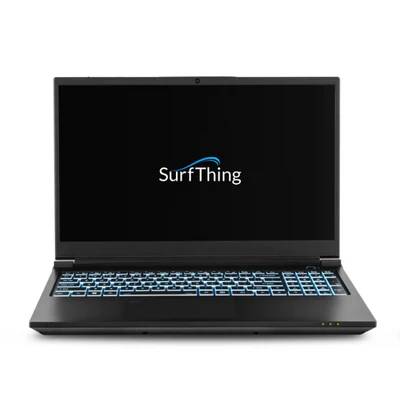
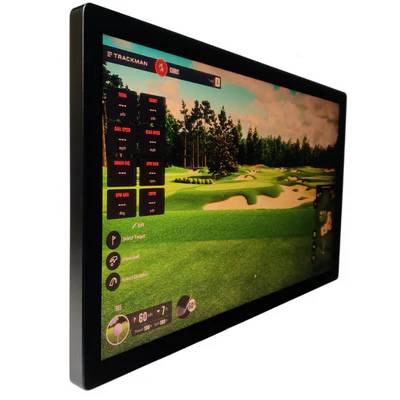
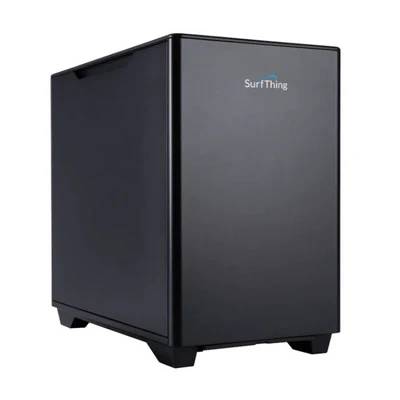
A Golf Simulator Computer — also called a high-performance simulator PC or gaming desktop for golf simulators — is the central component powering SkyTrak, GSPro, Foresight, TrackMan, and TGC 2019 software. These systems rely on powerful CPUs (Intel i5/i7 or AMD Ryzen 5/7), 16–64GB RAM, NVIDIA RTX GPUs, and NVMe SSDs to render realistic ball flight, course graphics, and analytics in real time. GolfSimPlanet carries multiple configurations: Compact Laptop Builds (portable, RTX 3060/4070, 16–32GB RAM), Desktop Power Builds (RTX 4080/4090, 32–64GB RAM), and Commercial High-End Rigs (multi-monitor, full-room simulator ready). Each unit is carefully selected to ensure compatibility with your simulator software and room dimensions. Explore our full golf simulator collection and confirm with our Scottsdale, AZ team which PC configuration is optimal for your practice and play goals.
Golf Simulator Computers — Available Configurations
Explore our pre-configured simulator computers optimized for every use case — from small portable setups to high-end commercial builds. Each system guarantees compatibility with top launch monitors and simulator software.
Compact Laptop Build
Specs: Intel i5/i7, 16–32GB RAM, NVIDIA RTX 3060/4070, 1TB SSD.
Use Case: Small home simulator or portable SkyTrak / GSPro setups.
Advantages: Compact, lightweight, supports 1080p–1440p graphics, fast setup.
Room Requirements: Any space ≥ 8 ft depth.
Internal Links: 🎯 Portable Launch Monitors
Desktop Power Build
Specs: Intel i7/AMD Ryzen 7, 32–64GB RAM, NVIDIA RTX 4080/4090, 2TB SSD.
Use Case: Full-room SkyTrak, TrackMan, or TGC 2019 simulators.
Advantages: Smooth 4K rendering, multi-monitor support, realistic virtual courses.
Room Requirements: Medium to large rooms ≥ 12 ft depth.
Internal Links: 💻 Simulator Software
Commercial High-End Rig
Specs: Intel i9/AMD Ryzen 9, 64GB+ RAM, NVIDIA RTX 4090, 2TB+ NVMe SSD, multi-GPU capable.
Use Case: Golf studios, commercial venues, professional fitting centers.
Advantages: 4K+ ultra settings, multiple simulators, simultaneous sessions.
Room Requirements: Large simulator rooms ≥ 14 ft depth.
Internal Links: 🏌️ All Golf Simulators
How to Choose the Right Golf Simulator Computer
Selecting a simulator computer requires consideration of software compatibility, room size, desired graphics quality, and number of players. CPU/GPU must handle SkyTrak, GSPro, TrackMan, or TGC 2019 at your target resolution.
- Prioritize GPU performance for 3D course rendering.
- RAM ≥16GB for standard builds; ≥32GB for professional or multi-simulator setups.
- SSD storage ensures fast software load times and reliable data tracking.
- Desktop builds allow future upgrades; laptops provide portability.
Golf Simulator Computers — FAQ
Do these computers support SkyTrak, GSPro, and TrackMan?
Yes — all systems are pre-configured for leading golf simulator software, including SkyTrak, GSPro, TrackMan, Foresight, and TGC 2019.
What room size do I need?
Compact laptops fit rooms ≥8 ft depth; desktops require ≥12 ft; commercial rigs need ≥14 ft for optimal performance.
Can I use multiple monitors?
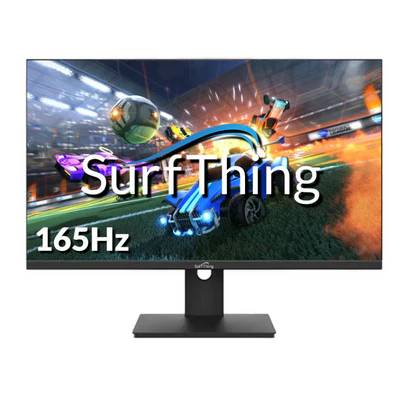
Yes — desktops and commercial rigs support multi-monitor setups for realistic course visualization or multiple simulator stations.
Key Features of Our Golf Simulator Computers
Golf Simulator Computers — Key Features & Technical Specs
Each GolfSimPlanet computer is built for precision, speed, and seamless simulator integration. The systems support multi-monitor setups, high-resolution graphics, ultra-low latency input, and are pre-configured for top launch monitors and simulator software. Below are the technical highlights and selection criteria for home or commercial builds.
CPU & GPU Performance
High-performance Intel i7/i9 or AMD Ryzen 7/9 processors combined with NVIDIA RTX 3060–4090 GPUs ensure smooth 3D course rendering and accurate ball flight calculations. Desktop rigs are optimized for 4K+ resolution and multi-simulator commercial use.
RAM & Storage
Memory ranges from 16GB for portable setups to 64GB+ for high-end commercial builds. SSD/NVMe drives (1–2TB+) deliver instant software loading, data tracking, and reliable storage for multiple virtual courses.
Connectivity & Ports
All systems include high-speed Ethernet, WiFi 6, HDMI/DisplayPort outputs for multi-monitor setups, and USB 3.2 ports for launch monitor integration. Laptop builds also support Thunderbolt for ultra-fast external displays or storage.
Software Compatibility
Fully compatible with E6 Connect, WGT Golf, TGC 2019, The Golf Club 2019, SkyTrak, GSPro, Foresight, and TrackMan. Pre-installed and configured for ultra-low latency and realistic graphics.
Room & Use Cases
Compact laptops — ideal for garages or apartments with ≥8 ft depth.
Desktops — recommended for rooms ≥12 ft depth.
Commercial rigs — perfect for studios with ≥14 ft depth and multiple simulator stations.
Multi-Simulator & Multi-Monitor Ready
Supports multi-simulator setups and dual or triple monitor configurations for professional golf studios, indoor teaching facilities, and tournament play.
Why Choose Us When You Shop Golf Simulator Computers and Accessories?
Why Choose GolfSimPlanet for Your Simulator Computer
GolfSimPlanet provides expert-configured systems, ensuring compatibility, stability, and high performance for your home or commercial simulator. Every computer is rigorously tested and optimized for leading launch monitors and software platforms. We combine technology, experience, and support for a superior virtual golf experience.
Expertly Configured Systems
Pre-built computers with optimized BIOS, graphics, and software settings for SkyTrak, GSPro, Foresight, TrackMan, and TGC 2019. Zero configuration hassle for users.
Performance & Reliability
High-quality components ensure smooth graphics, fast load times, and consistent performance — even in multi-simulator or commercial studio environments.
Internal & Trusted Recommendations
We link to related internal pages for seamless shopping experience: All Golf Simulators, Simulator Software, and Portable Launch Monitors.
Professional Guidance & Support
Our Scottsdale, AZ team assists in choosing the right build for room dimensions, simulator software, and target use — ensuring a perfect fit for practice or commercial venues. Contact us here to discuss your space and goals.