Bring the Course Indoors with High-Tech Simulators!
FAST & FREE SHIPPING (Exclusions Apply)
Reserve Now & Unlock Special Membership Perks!

Software

Golf simulator software is the platform that renders virtual courses, processes launch monitor data, and delivers real-time swing analytics on every shot. The software determines which courses you can play, what game modes are available, and how accurately your ball flight is represented on screen. GolfSimPlanet carries GSPro, E6 Connect, and The Golf Club 2019 — platforms compatible with all major launch monitors including Uneekor, Foresight Sports, FlightScope, SkyTrak, Garmin, and Trackman.

GSPro Main

GSPro Software

TGC 2019 cover

The Golf Club 2019 Simulator Software

E6 Connect

E6 CONNECT Software

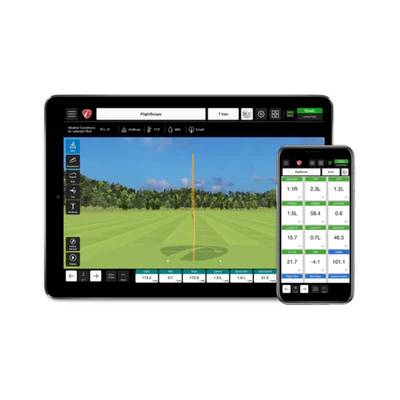
FlightScope Mevo Plus Pro Package Software

FlightScope Mevo+ Pro Package
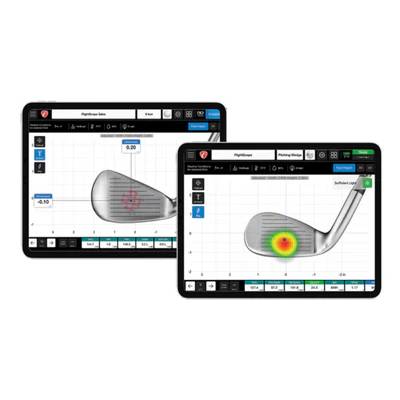
FlightScope Face Impact Location Mevo Plus iPad

FlightScope Face Impact Location for Mevo+ Pro Package

ProTee VX Go Crazy Protection Plan

ProTee VX - Go Crazy Protection Plan

E6 CONNECT Home

E6 CONNECT Home Software

SkyTrak Essential

SkyTrak Essential Software

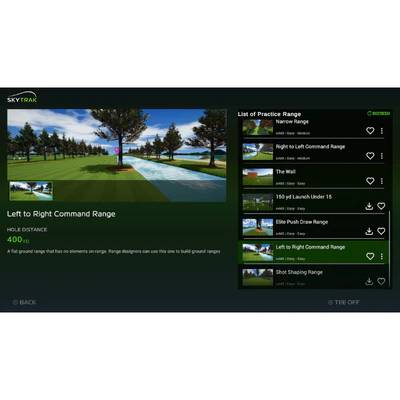
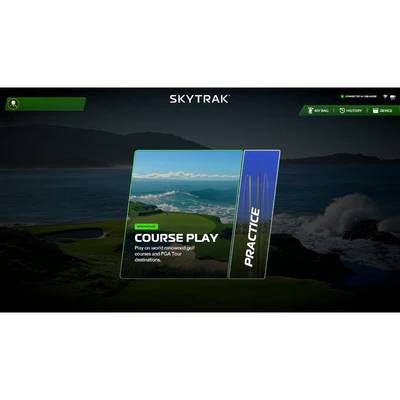
SkyTrak Course Play Software
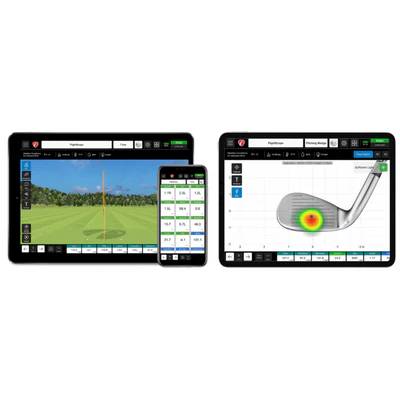
SkyTrak Course Play Software

FlightScope Mevo Plus Pro Paclkage Face

FlightScope Mevo+ Pro Package & Face Impact Location Bundle

💻 GSPro vs. E6 Connect vs. TGC 2019 — Platform Comparison

Each simulator software platform has different strengths — course library size, multiplayer capability, launch monitor compatibility, and system requirements all vary. Use this comparison to match the right platform to your setup:

Feature GSPro E6 Connect TGC 2019
Course Library 170,000+ user-created courses 85+ photorealistic licensed courses 100,000+ user-created courses
Multiplayer Yes — online multiplayer included Yes — local and online multiplayer Yes — online multiplayer included
Graphics Quality High — community-built courses vary Very high — photorealistic licensed courses High — community-built courses vary
Swing Analytics Full — depends on launch monitor Full — ball speed, spin, launch angle, distance Full — depends on launch monitor
Min. GPU Requirement NVIDIA GTX 970 or equivalent NVIDIA GTX 1060 or equivalent NVIDIA GTX 970 or equivalent
Best For Variety seekers, community play Visual realism, premium courses Course designers, large variety

🖥️ Minimum PC Requirements for Golf Simulator Software

Golf simulator software requires a dedicated Windows PC — not a tablet or Mac. E6 Connect minimum requirements serve as a good baseline for all three major platforms:

⚙️
Processor
Intel i5 or higher (4th Gen+)
🎮
Graphics
NVIDIA GTX 1060 or equivalent
💾
RAM
8 GB minimum
💿
Storage
SSD with 500 GB+ free space
🖥️
Display
1080p minimum via projector
🌐
Internet
High-speed for multiplayer & cloud

GolfSimPlanet carries dedicated golf simulator computers pre-configured to run GSPro, E6 Connect, and TGC 2019 at full performance — no PC building required.

❓ Golf Simulator Software — FAQ

What is the best golf simulator software?

The best platform depends on your priorities. E6 Connect offers 85+ photorealistic licensed courses including Pebble Beach, St. Andrews, and Torrey Pines — best for visual realism. GSPro has 170,000+ community-built courses and strong online multiplayer — best for course variety. TGC 2019 offers 100,000+ courses and a large player base — best for variety and community.

Is golf simulator software compatible with all launch monitors?

Compatibility varies by platform. E6 Connect and GSPro both support most major launch monitors including Uneekor, Foresight Sports, FlightScope, SkyTrak, Garmin R10, and Trackman. Always verify compatibility between your specific launch monitor model and software platform before purchasing — GolfSimPlanet’s team can confirm compatibility for your specific setup.

Do I need a subscription to use golf simulator software?

E6 Connect operates on a subscription model — access to the full course library and cloud features requires an active plan. GSPro uses a one-time purchase model with optional add-ons. TGC 2019 is a one-time purchase. Subscription costs vary — contact GolfSimPlanet’s Scottsdale, AZ team for current pricing details before purchase.

Can I play multiplayer on golf simulator software?

Yes — all three platforms support multiplayer. E6 Connect allows local multiplayer (multiple players at one bay) and online play including global tournaments. GSPro and TGC 2019 both support online multiplayer letting you compete against players from other simulator bays worldwide.

Do I need a special computer to run golf simulator software?

Yes — golf simulator software requires a dedicated Windows PC with a discrete GPU. Minimum specs for E6 Connect: Intel i5 (4th Gen+), NVIDIA GTX 1060 or equivalent, 8 GB RAM, SSD with 500 GB free space, and a high-speed internet connection for multiplayer. GolfSimPlanet carries pre-configured simulator computers ready to run all major platforms out of the box.

Key Features of Golf Simulator Software

1. Real-Time Ball Data on Every Shot

Golf simulator software processes launch monitor data instantly — displaying ball speed, spin rate, launch angle, carry distance, and shot shape within milliseconds of impact. Data depth depends on your launch monitor: entry-level radar units deliver 6–8 metrics; professional overhead systems like Uneekor EYE XO2 or Foresight GCHawk deliver up to 16 data points per swing.

2. Adjustable Course Conditions

All three major platforms — GSPro, E6 Connect, and TGC 2019 — allow players to adjust wind speed, wind direction, green firmness, and pin positions before each round. E6 Connect additionally offers adjustable time of day and weather conditions including rain and fog on select licensed courses.

3. Course Library — 85 to 170,000+ Courses

E6 Connect includes 85+ photorealistic licensed courses — including Pebble Beach, St. Andrews, and Torrey Pines. GSPro and TGC 2019 offer access to over 100,000–170,000 community-designed courses through their respective player networks. Course quality varies between community-built options; licensed courses in E6 Connect use photogrammetry scanning for highest visual accuracy.

4. Swing Path & Club Data Analysis

When paired with a camera-based launch monitor, simulator software displays club path, face angle, attack angle, dynamic loft, and smash factor in addition to standard ball metrics. This data is accessible in the practice range mode available in all three platforms — allowing targeted work on specific swing faults between simulated rounds.

Why Choose GolfSimPlanet for Simulator Software?

GolfSimPlanet carries GSPro, E6 Connect, and TGC 2019 — the three most widely used golf simulator platforms in the US. Every software purchase includes compatibility guidance from our Scottsdale, AZ team to confirm your launch monitor, PC specs, and projector setup work together before you buy. We support Uneekor, Foresight Sports, FlightScope, SkyTrak, Garmin, Trackman, and all other major launch monitor brands across all three platforms.